An Applanga alternative with a price you can read off the page
Applanga is now sold as GlobalLink Strings by TransPerfect. Its Pro plan starts at €500 a month and meters your app's monthly active users, seats and projects rather than words. Here is what that plan holds for a 400,000-word job and how to bring the strings across.
12× cheaper
Per translated word: $0.0000975 on Transglot, €0.00125 on Applanga, for the same 400,000-word job.
Priced by words, not users
Applanga Pro includes 100,000 monthly active users or API calls, and more needs a custom plan; Transglot's price follows words translated.

Where Applanga wins, and the catch.
Mobile teams wanting one vendor
Applanga suits mobile product teams, often in regulated fields such as digital health, that want app strings managed by the group that also supplies professional translation. TransPerfect linguists can be ordered from inside the tool.
- The limitPricing follows monthly active users or API calls, team members and projects. Pro starts at €500 a month with 100,000 users, 3 team members and 3 projects; Growth and Enterprise are custom.
- TransglotTransglot supplies no human translators. Glossa translates on every plan, and your own team reviews in the browser.
SDKs that collect strings from the app
Applanga's SDKs for iOS, Android, React Native, Flutter, Unity and Xamarin upload new strings from the running app and deliver translations, with a draft mode for testers.
- The limitThe SDKs fetch from Applanga's servers, so the price follows your app's audience: an app above 100,000 monthly active users needs custom Growth.
- TransglotTransglot works from the string files in your repository, synced by the CLI and GitHub Action, with over-the-air delivery on paid plans.
Full toolkit from the trial up
Every tier, the trial included, has the in-context editor with screenshots, translation memory, the CLI, REST API, GitHub Actions and Figma, Sketch and Adobe XD plugins.
- The limitThere is no free plan: the trial runs two weeks with 1,000 monthly active users, 1 team member and 1 project.
- TransglotTransglot Free is a plan, not a trial, with Glossa, translation memory and 3 seats. The API and in-context editor come with paid plans.
Applanga vs Transglot, per translated word.
Both tools priced for the same workload. The per-word figure is the monthly cost divided by the translated words in that workload.
| Figure | TransglotTeam | ApplangaPro |
|---|---|---|
| Plan that holds the workload | Team 1,000,000 translated words a month included. | Pro The free trial runs two weeks with 1,000 MAU, 1 team member and 1 project, so it does not hold the workload. Pro is the only plan with a figure on the page, 'starts at' €500 a month; Growth and Enterprise raise the limits at a custom price. A team larger than three people, or an app above 100,000 monthly active users, would need Growth. |
| Listed price | $39 a month Launch price for new subscriptions. List price $49 a month. | Starts at €500 a month; Growth and Enterprise are custom |
| Monthly cost for this workload | $39 a month | €500 a month |
| What the price counts | Words per target language Each source word counts once for every language it is translated into. | Monthly active users or API calls Applanga meters monthly active users or API calls, team members, projects and changelog events, not strings, words or languages. Pro includes 100,000 MAU or API calls, 3 team members, 3 projects and 50,000 changelog events a month, so the 400,000 translated words do not set the price on their own. The page does not define a changelog event; if each translated string is one, this workload's 50,000 target strings sit exactly at Pro's limit. |
| Price per translated word | $0.000097512× cheaper | €0.00125 |
- Plan that holds the workload
- Team1,000,000 translated words a month included.
- Listed price
- $39 a monthLaunch price for new subscriptions. List price $49 a month.
- Monthly cost for this workload
- $39 a month
- What the price counts
- Words per target languageEach source word counts once for every language it is translated into.
- Price per translated word
- $0.000097512× cheaper
- Plan that holds the workload
- ProThe free trial runs two weeks with 1,000 MAU, 1 team member and 1 project, so it does not hold the workload. Pro is the only plan with a figure on the page, 'starts at' €500 a month; Growth and Enterprise raise the limits at a custom price. A team larger than three people, or an app above 100,000 monthly active users, would need Growth.
- Listed price
- Starts at €500 a month; Growth and Enterprise are custom
- Monthly cost for this workload
- €500 a month
- What the price counts
- Monthly active users or API callsApplanga meters monthly active users or API calls, team members, projects and changelog events, not strings, words or languages. Pro includes 100,000 MAU or API calls, 3 team members, 3 projects and 50,000 changelog events a month, so the 400,000 translated words do not set the price on their own. The page does not define a changelog event; if each translated string is one, this workload's 50,000 target strings sit exactly at Pro's limit.
- Price per translated word
- €0.00125
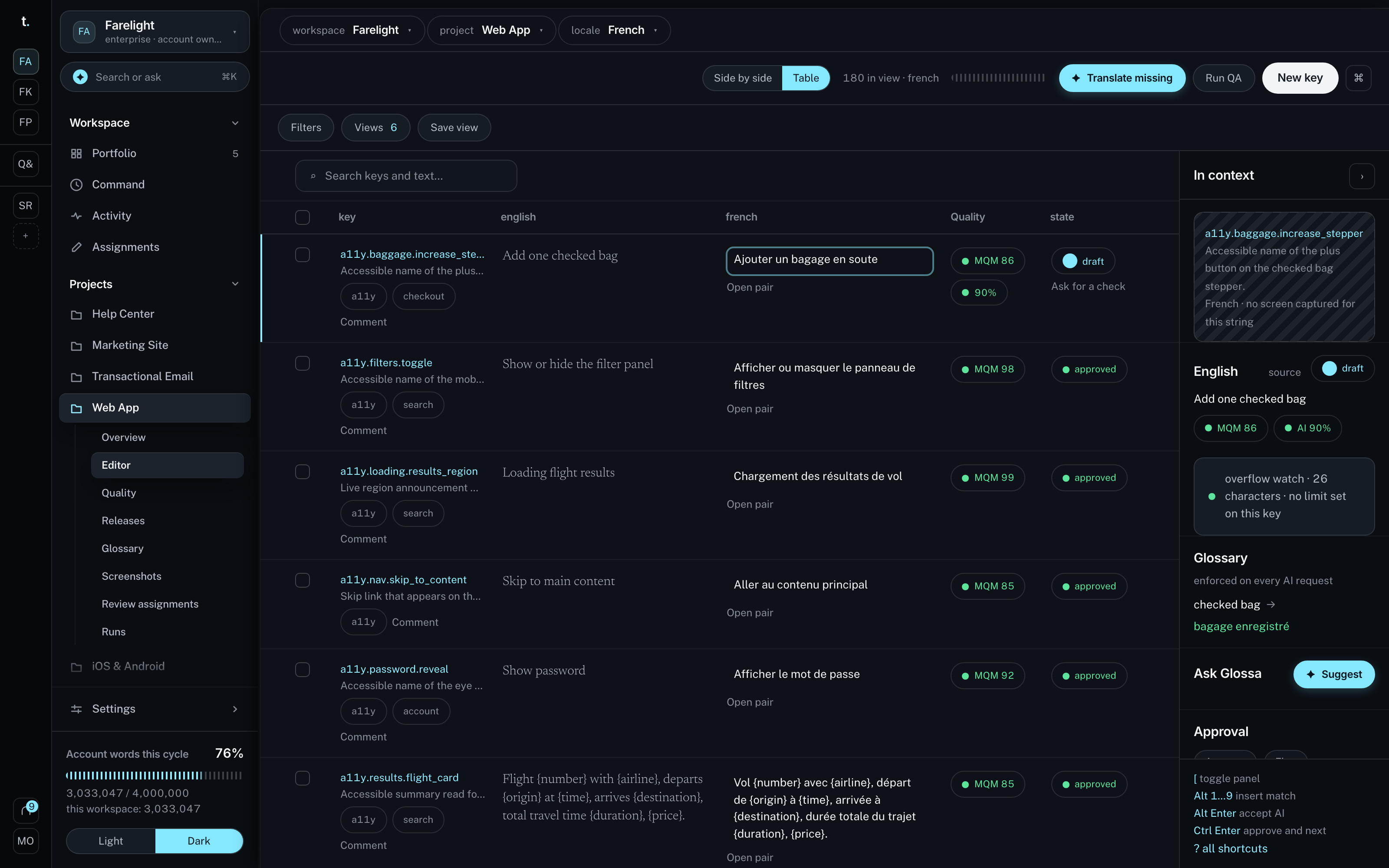
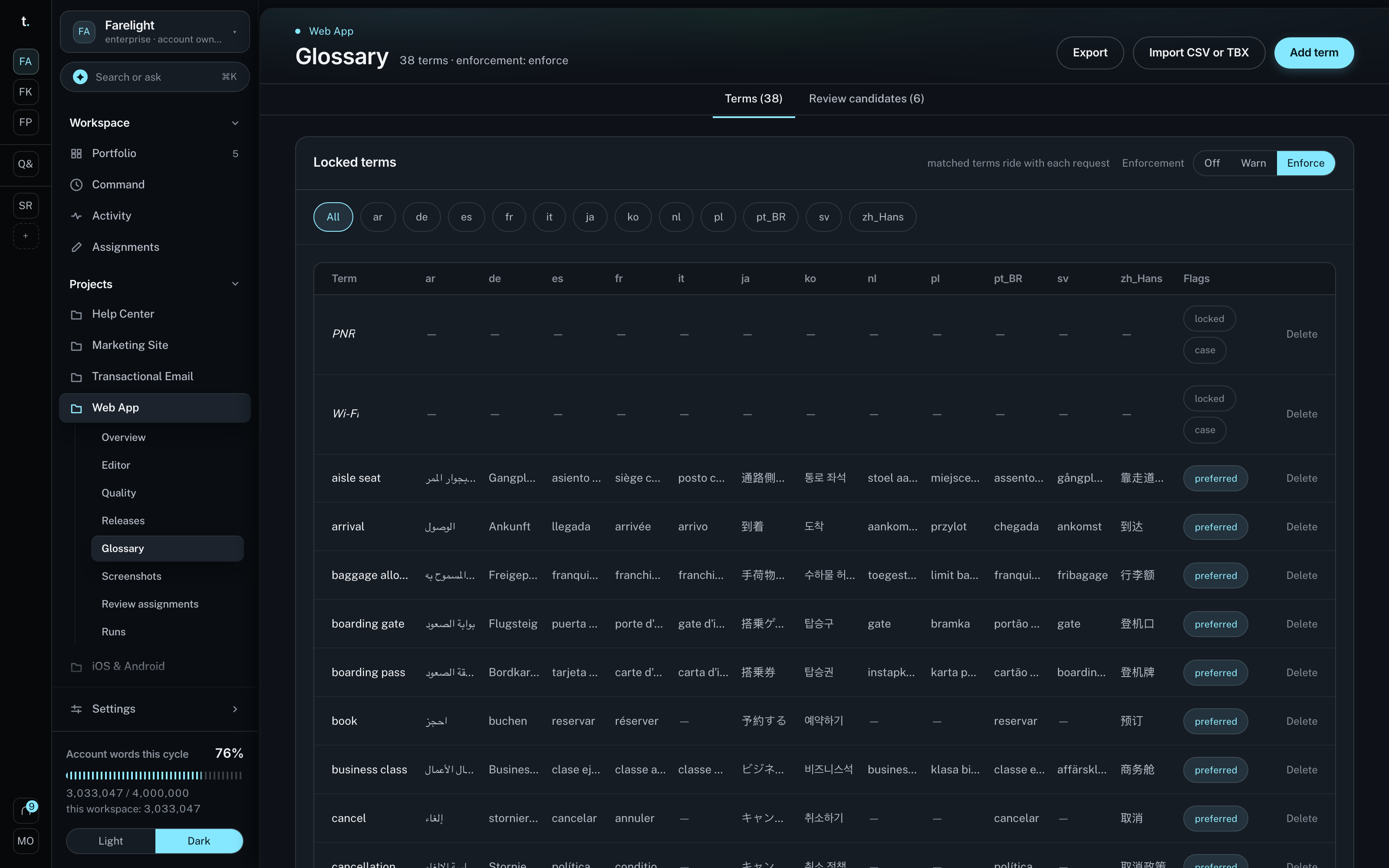
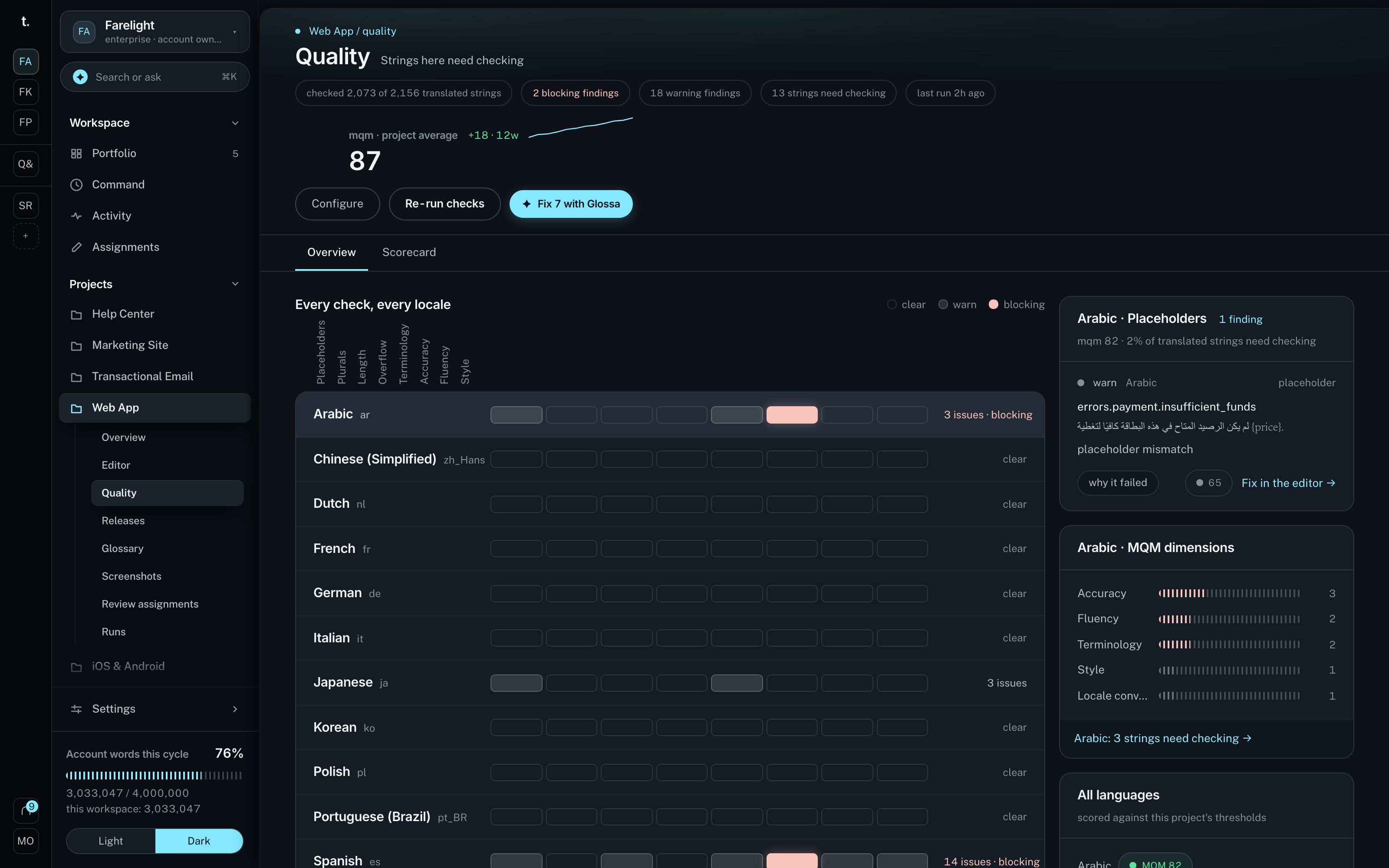
One workspace, from first draft to release.
Real screens from the console, on a demonstration project.
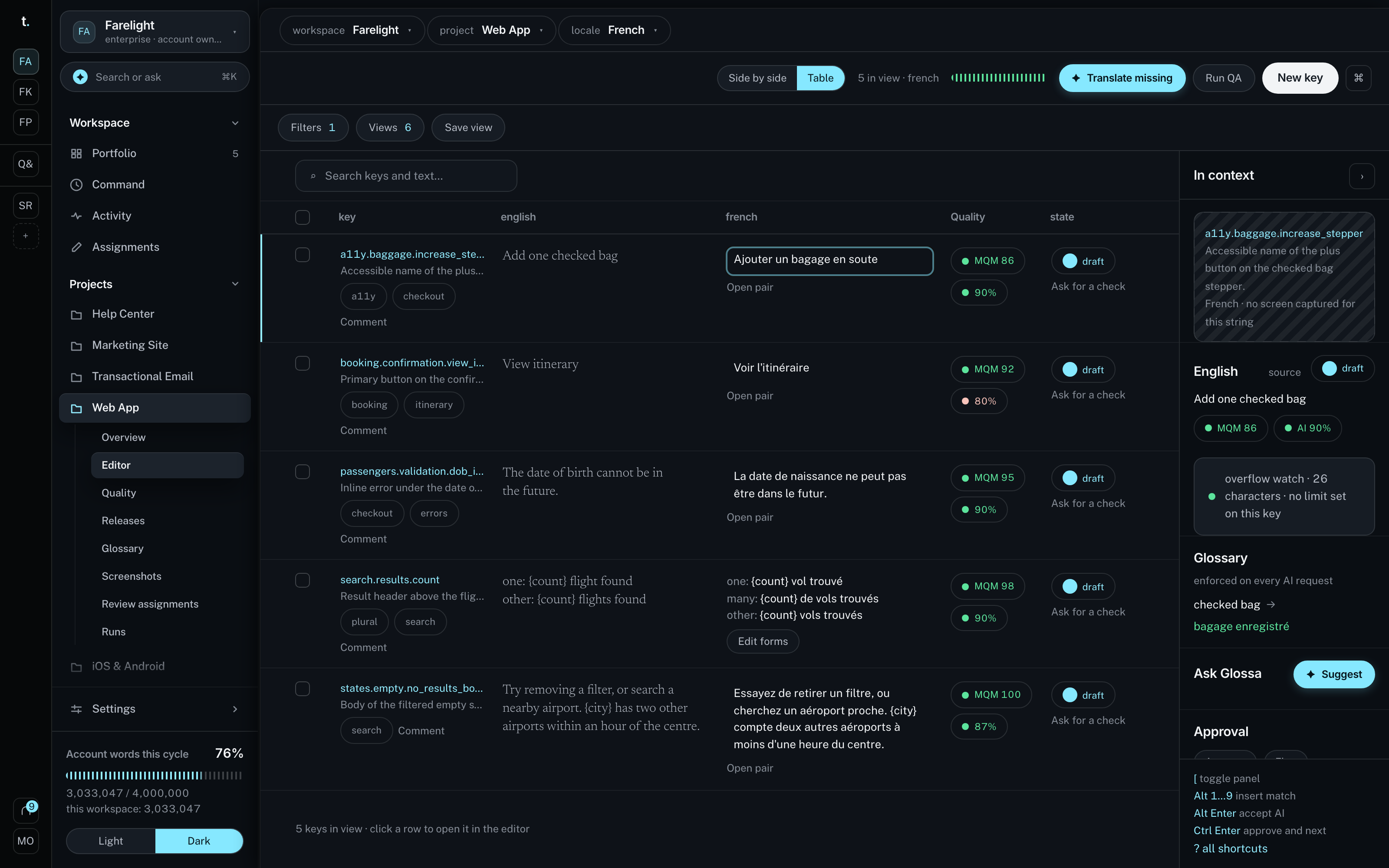
Transglot finds new strings on every push and Glossa drafts each language you have configured, inside the plan's word meter.
The source and every language sit side by side in the browser. A reviewer edits a cell and the next pull carries it.
Load the terms that must stay put. They go into every draft and are checked again afterwards.
Placeholders, plurals, glossary and length are checked on every row. A broken placeholder, plural or forbidden term gets one repair, then the row is refused rather than shipped. A length overrun is written, not refused.
What each tool includes.
| Feature | Transglot | Applanga |
|---|---|---|
| Capabilities | ||
Command-line toolTransglot: paid plans and the free trial. | ✓Yes | ✓Yes |
GitHub integrationTransglot: paid plans and the free trial. Applanga: GitHub Actions on every tier. | ✓Yes | ✓Yes |
APITransglot: paid plans. | ✓Yes | ✓Yes |
Over-the-air deliveryTransglot: paid plans. Applanga: through its mobile SDKs. | ✓Yes | ✓Yes |
In-context editorTransglot: paid plans. Applanga: with screenshots. | ✓Yes | ✓Yes |
| Translation memory | ✓Yes | ✓Yes |
GlossaryTransglot: paid plans. Applanga: Pro and up. | ✓Yes | Partly |
Unlimited seatsApplanga: 3 team members on Pro. | ×No | ×No |
Free planApplanga: two-week trial. | ✓Yes | ×No |
Published priceApplanga: Pro 'starts at' €500; higher tiers custom. | ✓Yes | Partly |
- Command-line tool
- ✓Yes
- GitHub integration
- ✓Yes
- API
- ✓Yes
- Over-the-air delivery
- ✓Yes
- In-context editor
- ✓Yes
- Translation memory
- ✓Yes
- Glossary
- ✓Yes
- Unlimited seats
- ×No
- Free plan
- ✓Yes
- Published price
- ✓Yes
- Command-line tool
- ✓Yes
- GitHub integration
- ✓Yes
- API
- ✓Yes
- Over-the-air delivery
- ✓Yes
- In-context editor
- ✓Yes
- Translation memory
- ✓Yes
- Glossary
- Partly
- Unlimited seats
- ×No
- Free plan
- ×No
- Published price
- Partly
Switch from Applanga in three steps.
In the Applanga dashboard, open the project page and click Export, choose the file format, languages and options, then click Start Export; or run applanga pull with the CLI. Applanga exports .strings, .stringsdict, .xliff/.xlf, .xml (Android), .arb, .po, .properties, .resx, .json, .yaml/.yml, .csv, .xlsx, .php and .md, all formats Transglot reads. Commit the exported files to the repository and run npx transglot@latest init, or upload them.
- 01
Export from Applanga
Download your translation files in a format Transglot reads.
XLIFFJSONPOAndroid XMLiOS strings - 02
Run init in your repo
It finds your locale files and shows the word count before anything translates.
npx transglot@latest init - 03
Ship from CI
Add the GitHub Action, so every merge sends new strings out and brings translations back.
→push→translate→pull
Applanga questions, answered.
How much does Applanga cost?
Is Transglot cheaper than Applanga?
Is Applanga the same as GlobalLink Strings?
Why does Applanga price by monthly active users?
How do I move from Applanga to Transglot?
Why localize at all.
Applanga and Transglot both assume you have decided to ship in more than one language. This is the published research behind that decision.
CSA Research's 2020 consumer survey found that 65% of respondents prefer content in their own language even if it is of poor quality.
In Intercom's 2019 survey of 170 SaaS customers whose first language is not English, 70% said they feel more loyal to companies that provide support in their native language, and 58% said they would wait longer for support offered in it.
Apple states that the App Store is available in 175 regions and 50 languages.
Other tools on the same workload.
Lokalise
Localization platforms for software teams
CompareCrowdin
Localization platforms for software teams
ComparePhrase
Localization platforms for software teams
CompareTransifex
Localization platforms for software teams
ComparePOEditor
Localization platforms for software teams
CompareLocalazy
Localization platforms for software teams
CompareAll comparisons
Compare

































