A Bablic alternative, for when the text is in your code
Bablic translates a live website and charges by how many people visit it, so the word count never moves the price. Transglot translates string files and meters words. Here is the Bablic plan that holds a 10-language job, how its price climbs with traffic, and how the two compare.
5.1× cheaper
Per translated word: $0.0000975 on Transglot, $0.000498 on Bablic, for the same 400,000-word job.
Priced on words, not visits
Bablic Pro climbs from $199 to $949 a month as visits reach 500,000; Transglot meters words, whatever your traffic.

Where Bablic wins, and the catch.
Content-heavy sites, modest traffic
Bablic suits businesses that want an existing website translated and kept in sync without developers extracting strings, budgeting on traffic rather than word counts.
- The limitLanguages and seats grow with the plan: Go has one of each, Core five, and only Pro, from $199 a month, has unlimited languages and users.
- TransglotTransglot has no website proxy or snippet; it translates the string files in your repository. Unlimited seats start at Team, $49 a month.
Price unaffected by word count
Bablic prices by monthly visits, so a site that adds pages or long articles pays nothing more for the extra words.
- The limitBusy sites pay more: Pro is $349 at 25,000 visits, $549 at 100,000 and $1,199 at 1M+.
- TransglotTransglot meters source words times target languages, never the source text, and traffic does not enter the price.
Visual editor and memory on every plan
Every Bablic plan includes translation memory and an on-page visual editor, multilingual SEO comes with Core, and enterprise contracts can add TransPerfect services.
- The limitThe Translation API comes with Pro only, and exported files pair page text with translations rather than keys.
- TransglotTransglot works on keyed string files, with translation memory on every plan and the in-context editor and API on paid plans.
Bablic vs Transglot, per translated word.
Both tools priced for the same workload. The per-word figure is the monthly cost divided by the translated words in that workload.
| Figure | TransglotTeam | BablicPro (1,000 visits a month) |
|---|---|---|
| Plan that holds the workload | Team 1,000,000 translated words a month included. | Pro (1,000 visits a month) Go ($19 a month at 1,000 visits) includes 1 language and 1 user, and Core ($49) includes 5 languages and 5 users. Neither holds 10 target languages, so Pro, with unlimited languages and users, is the cheapest plan that fits. Prices on every plan rise with the visits slider. |
| Listed price | $39 a month Launch price for new subscriptions. List price $49 a month. | $199 a month billed monthly at 1,000 visits a month, rising to $949 at 500,000 visits; annual billing is ten times the monthly price |
| Monthly cost for this workload | $39 a month | $199 a month |
| What the price counts | Words per target language Each source word counts once for every language it is translated into. | Monthly site visits Bablic prices by monthly visits to the translated site and says it does not price by words, so 400,000 translated words do not change the bill. What this workload decides is the language count: 10 target languages need Pro, the only plan with unlimited languages. The figure is Pro at the lowest traffic stop, 1,000 visits a month. Pro is $349 at 25,000 visits, $549 at 100,000, $949 at 500,000 and $1,199 at 1M+, so the per-word figure only holds for a low-traffic site. |
| Price per translated word | $0.00009755.1× cheaper | $0.000498 |
- Plan that holds the workload
- Team1,000,000 translated words a month included.
- Listed price
- $39 a monthLaunch price for new subscriptions. List price $49 a month.
- Monthly cost for this workload
- $39 a month
- What the price counts
- Words per target languageEach source word counts once for every language it is translated into.
- Price per translated word
- $0.00009755.1× cheaper
- Plan that holds the workload
- Pro (1,000 visits a month)Go ($19 a month at 1,000 visits) includes 1 language and 1 user, and Core ($49) includes 5 languages and 5 users. Neither holds 10 target languages, so Pro, with unlimited languages and users, is the cheapest plan that fits. Prices on every plan rise with the visits slider.
- Listed price
- $199 a month billed monthly at 1,000 visits a month, rising to $949 at 500,000 visits; annual billing is ten times the monthly price
- Monthly cost for this workload
- $199 a month
- What the price counts
- Monthly site visitsBablic prices by monthly visits to the translated site and says it does not price by words, so 400,000 translated words do not change the bill. What this workload decides is the language count: 10 target languages need Pro, the only plan with unlimited languages. The figure is Pro at the lowest traffic stop, 1,000 visits a month. Pro is $349 at 25,000 visits, $549 at 100,000, $949 at 500,000 and $1,199 at 1M+, so the per-word figure only holds for a low-traffic site.
- Price per translated word
- $0.000498
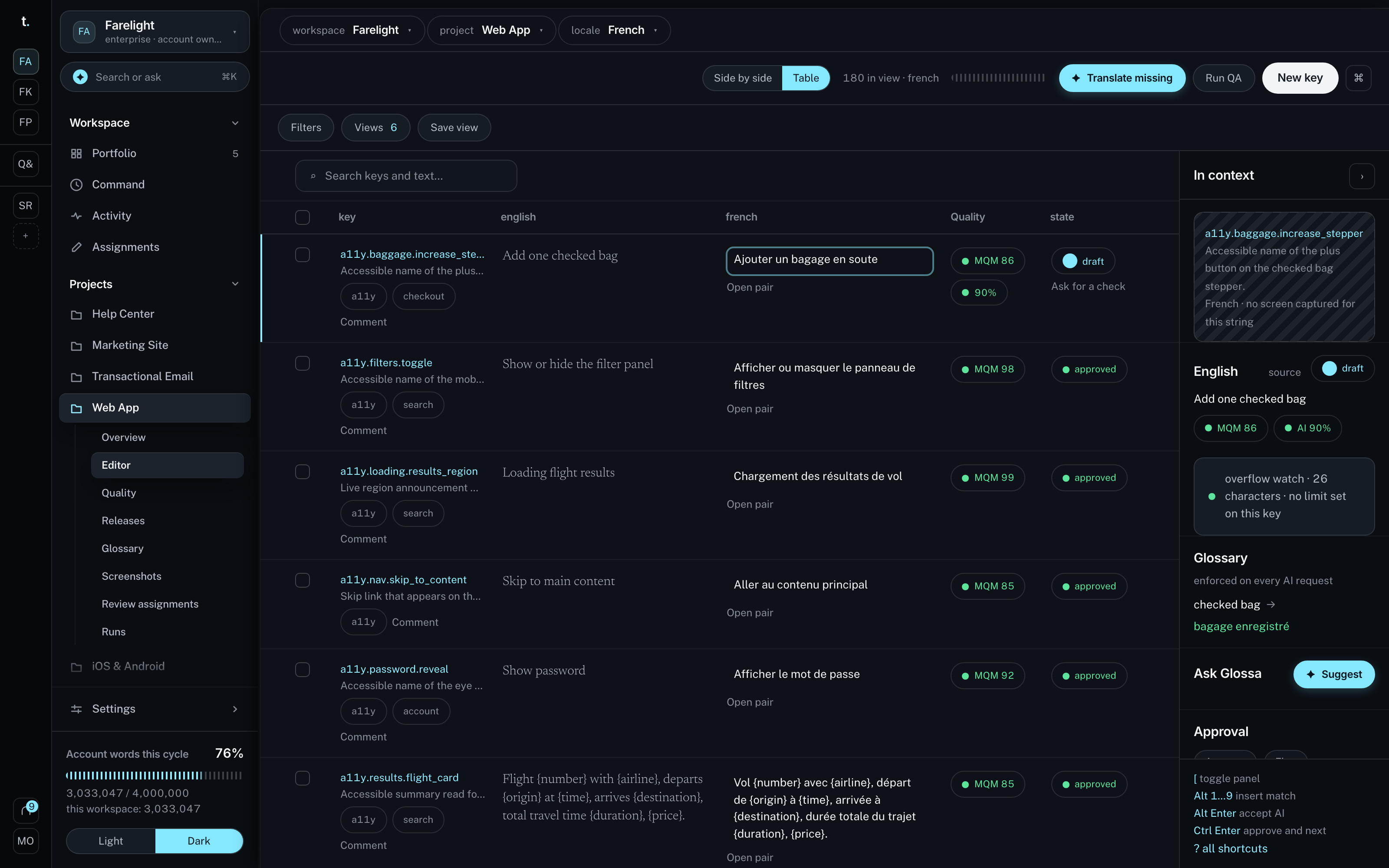
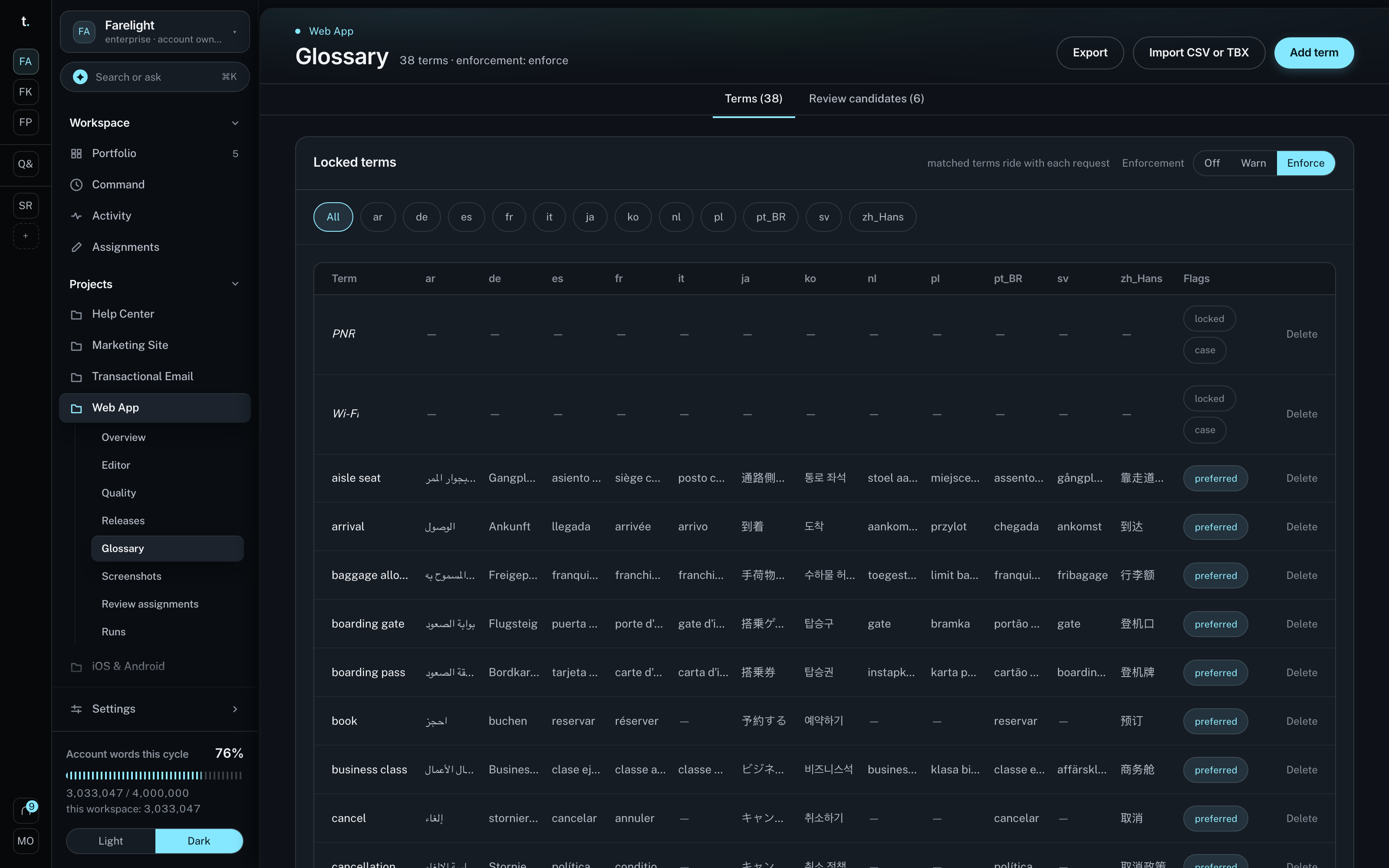
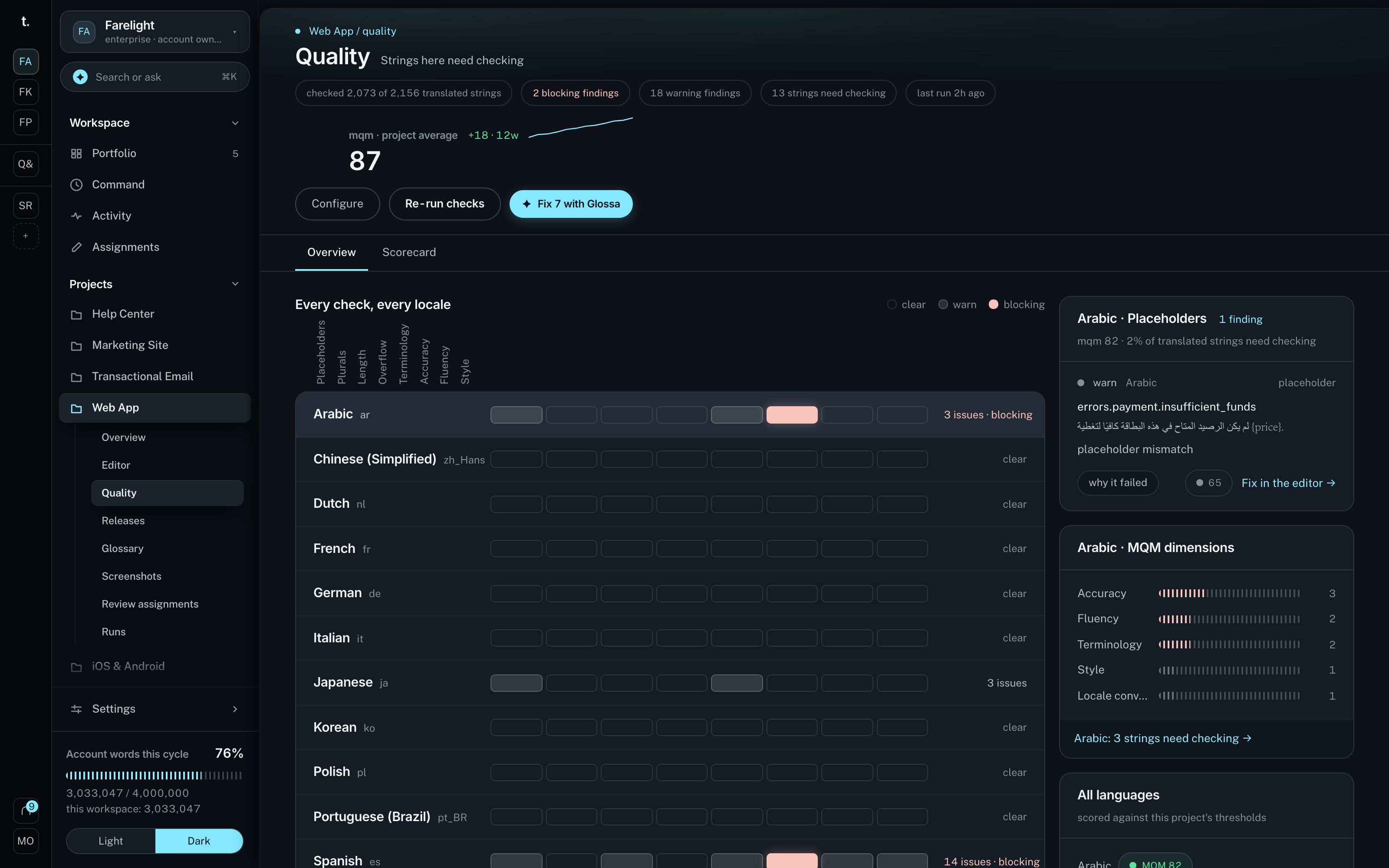
One workspace, from first draft to release.
Real screens from the console, on a demonstration project.
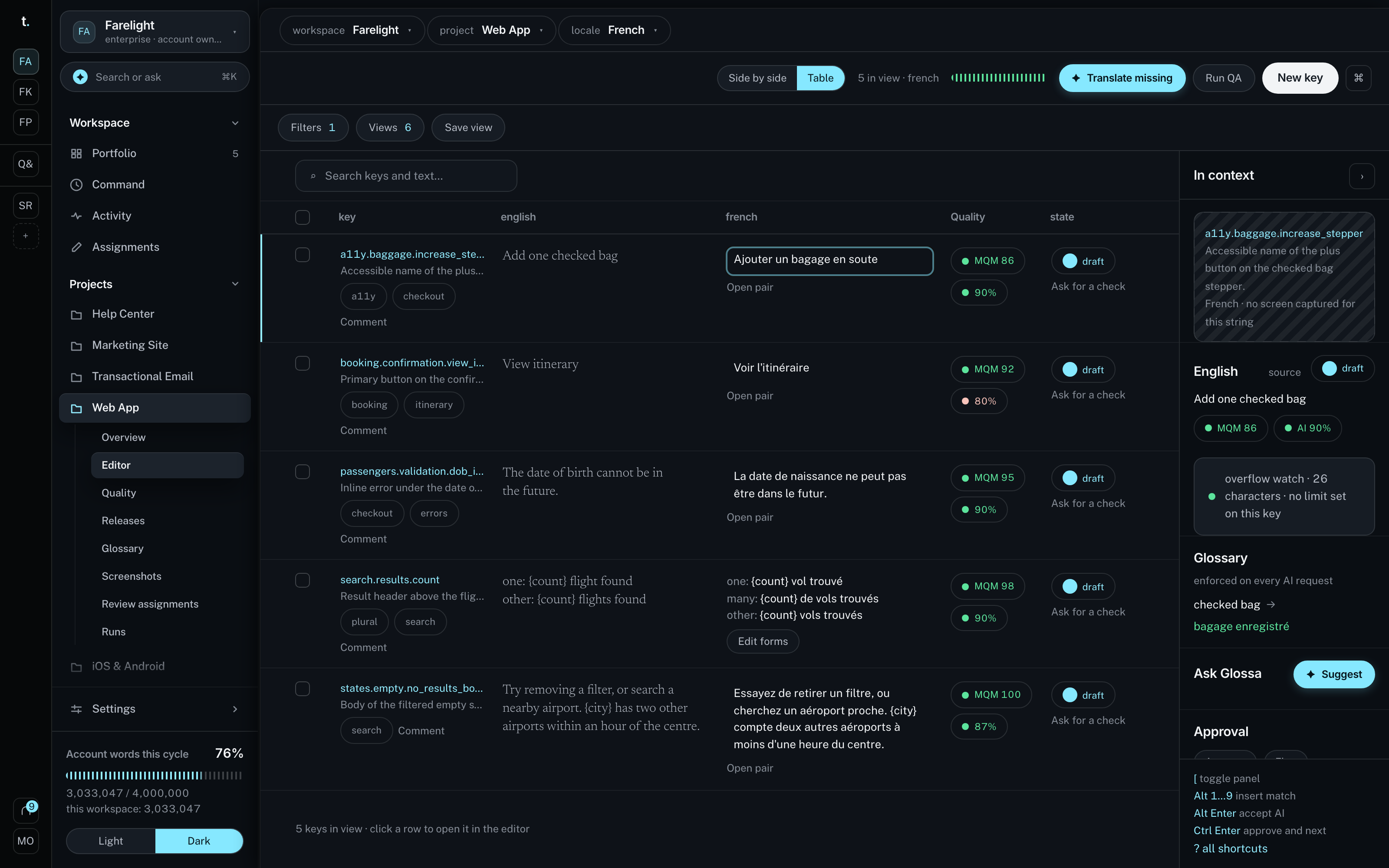
Transglot finds new strings on every push and Glossa drafts each language you have configured, inside the plan's word meter.
The source and every language sit side by side in the browser. A reviewer edits a cell and the next pull carries it.
Load the terms that must stay put. They go into every draft and are checked again afterwards.
Placeholders, plurals, glossary and length are checked on every row. A broken placeholder, plural or forbidden term gets one repair, then the row is refused rather than shipped. A length overrun is written, not refused.
What each tool includes.
| Feature | Transglot | Bablic |
|---|---|---|
| Capabilities | ||
Website translation without string filesBablic: translates the live site's pages. | ×No | ✓Yes |
AI translation included in the planBablic: automatic translation from the Go plan. | ✓Yes | ✓Yes |
In-context editorTransglot: paid plans. Bablic: visual editor on every plan. | ✓Yes | ✓Yes |
| Translation memory | ✓Yes | ✓Yes |
APITransglot: paid plans. Bablic: Translation API on Pro. | ✓Yes | Partly |
Unlimited seatsBablic: Pro only; Go has 1 user, Core 5. | ×No | Partly |
Price unaffected by word countBablic: priced by monthly visits instead. | ×No | ✓Yes |
Free planBablic: 30-day trial, no card required. | ✓Yes | ×No |
| Monthly billing | ✓Yes | ✓Yes |
Published priceBablic: custom plans above the slider's top tier. | ✓Yes | ✓Yes |
- Website translation without string files
- ×No
- AI translation included in the plan
- ✓Yes
- In-context editor
- ✓Yes
- Translation memory
- ✓Yes
- API
- ✓Yes
- Unlimited seats
- ×No
- Price unaffected by word count
- ×No
- Free plan
- ✓Yes
- Monthly billing
- ✓Yes
- Published price
- ✓Yes
- Website translation without string files
- ✓Yes
- AI translation included in the plan
- ✓Yes
- In-context editor
- ✓Yes
- Translation memory
- ✓Yes
- API
- Partly
- Unlimited seats
- Partly
- Price unaffected by word count
- ✓Yes
- Free plan
- ×No
- Monthly billing
- ✓Yes
- Published price
- ✓Yes
Switch from Bablic in three steps.
Bablic's help center describes exporting from Dashboard, Pages, Options, Export all Pages: confirm the source and target languages, pick the file format and press Start. It lists CSV, JSON, XLIFF and PO; Transglot reads XLIFF, gettext PO, CSV and JSON. The files hold page text and its translations rather than app keys, so this suits a team moving its text into string files: add them to the repository and run npx transglot@latest init, or upload them.
- 01
Export from Bablic
Download your translation files in a format Transglot reads.
XLIFFJSONPOAndroid XMLiOS strings - 02
Run init in your repo
It finds your locale files and shows the word count before anything translates.
npx transglot@latest init - 03
Ship from CI
Add the GitHub Action, so every merge sends new strings out and brings translations back.
→push→translate→pull
Bablic questions, answered.
How much does Bablic cost?
Is Transglot cheaper than Bablic?
Why does Bablic charge by visits and not words?
Is Bablic or Transglot the right tool?
Can I move from Bablic to Transglot?
Why localize at all.
Bablic and Transglot both assume you have decided to ship in more than one language. This is the published research behind that decision.
A peer-reviewed study of eBay by economists at MIT and Washington University in St. Louis found that translating buyers' search queries and listing titles from English into Spanish raised US exports on eBay to Spanish-speaking Latin American countries by 17.5%.
CSA Research's 2020 consumer survey found that 65% of respondents prefer content in their own language even if it is of poor quality.
In a 2023 Ahrefs study of 374,756 domains that use hreflang, 67% had at least one hreflang issue; the most common were pages without an x-default annotation (56.3% of domains), pages without a self-referencing tag (18%) and tags pointing to redirected or broken pages (16.9%).
Sources
- Brynjolfsson, Hui and Liu, "Does Machine Translation Affect International Trade? Evidence from a Large Digital Platform" (NBER Working Paper 24917, 2018; Management Science, 2019)
- CSA Research, Can't Read, Won't Buy: B2C (2020), press release "Consumers Prefer their Own Language"
- Ahrefs, "Hreflang study" by Patrick Stox (2023)

































