Documentation reviewed 5 November 2026. Recommendations are editorial analysis; no hands-on translation-quality benchmark is claimed.
Quick answer
Choose automated translation software with human review that keeps the source revision, target revision, reviewer and release decision connected. Evaluate technical checks, context, source-change handling and return delivery on a real feature slice. Include review and coordination time in the cost comparison.
Why pay a skilled translator to repair a missing bracket that software should have caught before breakfast?
That is the quiet waste inside many translation workflows. AI produces a draft. Someone exports it. A reviewer repairs formatting, asks what a button means, discovers the source changed yesterday, and sends another spreadsheet back. The translation took seconds. The coordination took the afternoon.
Automated translation software with human review should remove that coordination work, while keeping people in charge of decisions that need judgment. It connects source content, translation memory, AI drafts, technical checks, reviewer feedback and publication in one controlled process. The useful result is a translation someone can confidently approve and ship.
The recommendation is to start with your release workflow rather than a model leaderboard. Transglot is a strong option for teams that want repository or CMS content to move through translation and back into their product. Crowdin, Lokalise and Phrase also offer documented approaches to combining automation and people. Their best fit depends on the approval process, integrations and operating model you need.
This guide compares those approaches, explains how to build a working review queue, and shows how to test the economics without accepting a suspiciously convenient savings percentage. If you want the broader technology debate first, read AI Translation vs Human Translation.
Automated translation software with human review: the short answer
Choose a system that can prove which version a person approved. A translation editor alone does not answer that question. Neither does a green progress bar.
A useful system keeps a stable connection between the source, the translated draft, the reviewer and the published result. When the source changes, the previous approval needs to be reassessed. When someone repairs a placeholder, the technical checks should run again. When a translation reaches a repository or CMS, the delivery step should respect your publication rules.
Think of it as a newsroom. A writer drafts. An editor checks. A production team publishes. Giving everyone a keyboard does not remove the need to know which version is going live.
For a small SaaS team, the deciding issue is often whether developers can keep shipping without carrying translation files between tools. For a localization department, it is usually whether reviewers, vendors and language leads can work without losing accountability. Both need automation. They need different kinds of coordination.
Four platforms worth evaluating
This is a documentation-based shortlist rechecked on 5 November 2026, not a hands-on speed ranking. The comparison uses published workflow capabilities and pricing information. The team has not benchmarked translation quality across these products, and the rows do not imply that every feature is included on an entry plan.
| Platform | Workflow to evaluate | Likely fit | Check before choosing |
|---|---|---|---|
| Transglot | Connected source content, AI drafts, technical gates and collaborative approval | Product teams wanting translation close to repositories or a CMS | Connector direction, developer access and Team-level approval requirements |
| Crowdin Enterprise | Configurable translation, AI or MT, and proofreading steps | Organizations coordinating contributors and vendors across projects | Enterprise workflow scope and total capacity and services bill |
| Lokalise | Translation and review tasks, workflows and event-based automations | Teams organizing ongoing localization through assignments | Expert versus Vantage behavior and purchased entitlements |
| Phrase TMS | Pre-translation followed by configurable workflow steps | Localization operations with structured linguistic stages | TMS versus Strings scope, plan eligibility and confirmation settings |
Sources: Transglot workspace, Crowdin Enterprise workflows, Lokalise manager guide, Phrase TMS workflows.
Translation gets expensive when the handoffs stay manual
The first translated release is rarely the real problem. The next release is.
Imagine a project-management app launching in German and French. The team translates its onboarding, help pages and checkout. Everyone celebrates. On Monday, engineering changes the invitation flow. On Tuesday, marketing renames a subscription. On Wednesday, support fixes instructions that no longer match the interface.
The spreadsheet still looks complete. The product no longer is.
Translation debt is the gap between what your product says now and what each language still says. It grows whenever source changes escape the localization process. More translators do not automatically solve that tracking problem. They need to receive the right work, with the right context, at the right time.
This explains the appeal of continuous localization: changed content enters an ongoing process rather than waiting for a large translation event. Your reviewers see the changes relevant to them. Your developers receive usable output. Your launch checklist stops depending on whether someone remembered to attach a file.
Spreadsheets are still useful for a small, isolated exchange. The trouble begins when the sheet becomes the unofficial database for a live product. Comments separate from strings. Files acquire names such as final-v7-actually-final. Nobody enjoys becoming an archaeologist to approve a password-reset message.
The move from email and spreadsheets to shared translation systems is therefore about state as much as language. What changed? What is approved? What is blocked? What reached production? Good software makes those answers visible.
What the machine does, and what the reviewer decides
A fluent sentence can still be the wrong instruction. That is why the division of work matters more than simply adding a human at the end.
Machines are useful for repetitive operations: retrieving approved translations, generating drafts, finding missing variables, checking file structure and identifying content that needs attention. Reviewers contribute meaning, domain knowledge, audience judgment and responsibility for the final wording.
The boundary is not fixed forever. A mature glossary can remove repeated terminology questions. Better screenshots can eliminate ambiguity. A new product area can introduce unfamiliar language that deserves closer review. Design the workflow so its rules can change as the evidence improves.
Translation memory remembers decisions
A translation memory stores source text alongside previously accepted translations. If the same message returns, the system can suggest or reuse that earlier work. This saves a reviewer from settling the same sentence repeatedly.
But an exact text match does not prove an identical situation. “Account closed” might describe a billing account, a bank account or a workspace someone deleted. Keep memories separated or appropriately scoped when products, clients or domains require different language. A reused mistake is still a mistake, just with excellent distribution.
A glossary prevents recurring arguments
A glossary records preferred terms and terms to avoid. It answers questions such as whether a feature name stays in English, whether “workspace” has an approved local equivalent, and whether a product acronym must remain untouched.
Give entries enough explanation to be useful. A noun and a target word alone can conceal ambiguity. Add a definition, the relevant product area and an example. Assign someone to approve changes, so a one-off preference does not quietly become a rule for every future release.
Human review checks the decision behind the sentence
The reviewer should ask what the user will understand and do. Does this message explain how to recover? Does the checkout make the commitment clear? Does a joke still work? Does the wording fit the relationship the brand wants with its customers?
These are practical questions, not decorative polishing. A translated button can be grammatically correct while making the next action uncertain. A reviewer needs the screen and the intended behavior to judge it properly.
Run technical checks before people spend their attention
Your language specialist should not be your JSON parser.
Before a draft reaches a person, validate the parts that have precise rules. Files should parse. Required keys should exist. Variables should survive. Markup should remain structurally valid. Messages should follow the plural syntax expected by the application. Length checks can flag strings that need a closer look in the interface.
These checks have limits. A character budget is a useful warning, but font, device width and wrapping decide what actually fits. A placeholder check can confirm that {amount} survived; it cannot confirm that a payment instruction communicates the correct commitment.
Plural handling deserves particular care. Unicode CLDR defines categories such as zero, one, two, few, many and other, with different rules across languages. Your implementation needs the categories and syntax required by its runtime and locale, rather than an English-shaped assumption that every message needs only singular and plural.
Source: Unicode CLDR plural rules.
Transglot checks placeholders, plurals, glossary constraints and length, with repair and refusal behavior for failing rows. A source change marks affected translations stale and sends them back to review. The repair setting matters: apply performs one corrective pass and rechecks, suggest waits for a decision, and off does not apply a repair. Those mechanisms are useful because they place technical checks before publication, but passing them does not certify semantic correctness. Verify the chosen plan and configuration against the specific checks your project requires.
Source: Transglot translation quality assurance.
Conceptual editorial illustration · Build your workflow
Build your translation workflow with Transglot.
Give reviewers context, or pay them to guess
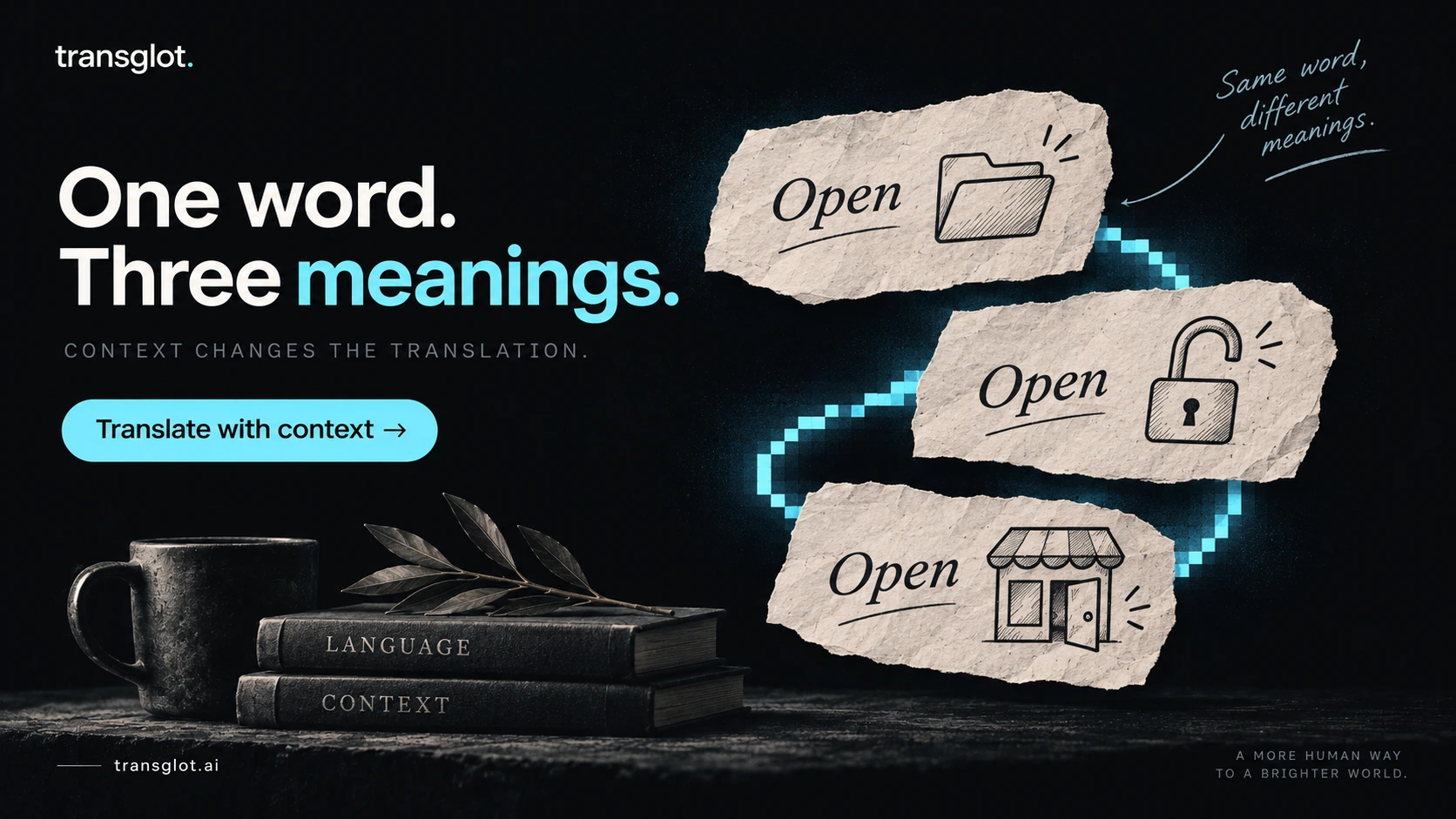
“Open” is a perfectly ordinary word. Until it appears alone in a translation queue.
Is it a command to open a document? A shop status? An account state? A setting that makes a resource accessible? The English text can stay the same while the correct translation changes.
Context is part of the source material. Attach the key name, the screen or content location, a description of what the user is doing, and any meaningful constraints. For a button, explain what happens after the click. For an error, explain what went wrong and how the person can recover.
Suppose a string says “Your session has expired.” A screenshot shows a login page, but the real product behavior also matters. Can the user resume their work after signing in? Is a draft preserved? The reviewer should not accidentally promise recovery that the app does not provide.
Screenshots help, especially when short strings depend on neighboring labels or a particular visual state. Keep them current. An outdated screenshot can be more persuasive than a correct written note, which makes it a very efficient source of confusion.
Include accessibility context where it matters. A screen-reader label may need to make sense without the visual element beside it. A validation message should identify the relevant problem clearly. The most elegant short translation is not useful if it removes information that someone needs to complete the task.
Make instructions specific enough to settle disagreements
“Use our brand voice” is not a review brief. It is the beginning of a conversation.
An actionable brief says who the audience is, how formal the language should be, which product terms are fixed and what the message must achieve. It also explains where a reviewer has freedom to adapt. Marketing copy and error messages do not need identical degrees of creative freedom.
For example: “This message appears after a failed card payment. Keep the tone calm, do not suggest the customer has been charged, and explain that they can try another card.” That gives both AI and humans something useful to work with.
Conceptual editorial illustration · Translate with context
Translate with context using Transglot.
A review queue needs rules, not just names
Assigning a reviewer is easy. Defining what their approval means takes thought.
Separate the authoring state from the publication state. A draft is available to inspect. A reviewed translation has been examined against agreed criteria. An approved translation has satisfied the release policy. Those states can be combined in a small team, but their meaning should remain explicit.
For important content, decide whether the person who wrote a translation can also approve it. A second person introduces independence, although it also introduces capacity and scheduling needs. Apply that requirement where it earns its cost rather than adding an extra sign-off to every punctuation change.
Reviewer ownership should follow the language and domain. A fluent colleague can be valuable, but fluency alone does not establish expertise in billing terminology, security instructions or specialist documentation. Give reviewers a route to the product expert who can resolve meaning questions.
Source edits should reopen the right conversation
Imagine the source changes from “Cancel any time” to “Cancel before renewal.” The translation approved last month no longer describes the same promise. A system that preserves the green approval without surfacing the change creates false confidence.
The recommendation is to tie approval to the relevant source version and translated version. If the source changes, require reassessment according to the content policy. If the target changes, re-run technical checks and apply the necessary review step. Your implementation should make this behavior visible and testable.
Comments should lead to reusable improvements
When a reviewer corrects a repeated term, ask whether the glossary needs updating. When three translators ask the same question, improve the source description. When a feature name keeps changing, settle its ownership with the product team.
Otherwise, review becomes a very sophisticated way to rent the same lesson every month.
Make the approval testable. In a hypothetical release record, keep the source revision, target revision, locale, reviewer and acceptance policy together. If source revision 18 changes to 19, an approval tied to 18 should trigger the defined reassessment rule, even if the target is untouched. This is a proposed operating model, not an API schema or a claim that every platform stores those exact fields.
Review the risk, then decide how much to automate
A help tooltip and a payment promise should not enter the same approval lane by accident. The required attention depends on the effect of getting the wording wrong.
For an initial launch, the recommendation is human review of all new customer-facing translations while you establish quality and terminology. Later, consider selective automation for content with evidence of consistent performance and manageable consequences. Keep sampling the approved output so problems remain visible.
A reasonable starting policy gives payment, account deletion, security and contractual commitments a mandatory specialist review path. Core onboarding and prominent product messaging receive normal linguistic and contextual review. Repeated, low-impact messages can be candidates for controlled reuse or a narrower review process once their context is stable.
These are proposed operating rules, not a universal classification. A status label that looks harmless in one product can carry a serious meaning in another. Define the rules with the people who understand the product and its customers.
Confidence is a routing signal, not a guarantee
A score is useful if it predicts something you care about. Ask what it measures, how it was produced and whether it has been checked against human judgments on your own content. A model-generated score is not automatically a probability that the sentence is correct.
Research also resists the idea of one universal quality number. WMT25 evaluated 60 translation systems and invited participation across 30 language pairs, using professional human evaluation for a subset of those pairs. Its harder test sets and document-level context show why a convenient demo is an incomplete basis for a production decision.
Source: WMT25 General Machine Translation findings, published November 2025.
The practical conclusion is to validate routing thresholds separately for the language pairs and content groups that matter. If the system misses an important class of error, change the workflow. Do not keep the threshold merely because it produces a comfortable approval percentage.
Conceptual editorial illustration · Review smarter with Transglot
Review smarter with Transglot.
What WMT25 actually measured. Professional human assessment covered 15 of the 30 invited language pairs, with four or five domains per test set. Most used Error Span Annotation; two used MQM. Those are different evaluation protocols, and the document-level tasks are not a test of this article’s four platforms or a validation of your routing score. The practical inference is to keep a held-out set for each important language and content group, then inspect missed critical errors rather than treating one aggregate score as a release policy. Kocmi and colleagues, WMT25 findings.
Transglot: a close fit for product translation workflows
The attraction is the connection between the words and the release. Transglot takes content from a repository or CMS, drafts configured languages and returns translations through the relevant connection. For product teams, that addresses the operational problem behind much localization work: keeping changing content moving without repeated exports.
Source: Transglot product overview.
The workspace combines string context, comments, version history, scoped access and reviewer actions. A two-person approval rule is available from Team. That makes it worth shortlisting when developers, product owners and outside translators need to work on the same content with clear responsibilities.
Source: Transglot translation workspace.
The recommendation is to test it on a real feature slice: source changes, draft generation, reviewer edits, approval and return delivery. Inspect the exact connector you need. Importing content and writing reviewed translations back are different capabilities; do not assume a connector is bidirectional because its logo appears on a marketplace page.
Pricing has to match the workflow you actually want
On 5 November 2026, Transglot displayed launch prices of $15 monthly for Starter and $39 monthly for Team, alongside list prices of $19 and $49. Business was displayed at $149 monthly. Developer surfaces, including API and CLI access, start at Starter; the two-person approval requirement makes Team relevant for this comparison. A free plan is available, while paid-plan trials are a separate offer. Verify checkout terms before committing.
Source: Transglot pricing and plan matrix.
That is an appealing entry point for a team that wants a connected process. It is not a defensible basis for saying every workload will cost less than every competitor. Model the allowance, target languages, review labor and required controls together.
Crowdin Enterprise: evaluate the workflow builder
Choose the process you need, then check which Crowdin product includes it. Crowdin Enterprise documents configurable workflow steps for translation memory, machine translation, AI translation, human translation and proofreading. Steps can run in sequence or in parallel, with contributors assigned to the relevant languages.
Source: Crowdin Enterprise workflow overview.
That structure is relevant when an organization needs distinct routes for different content or coordinated participation from internal teams and external providers. The evaluation question would be whether those routes remain easy for project owners to understand after the initial configuration.
Do not transfer Enterprise workflow claims to every Crowdin plan. Its pricing page distinguishes individual and team use from organizational requirements, and defines hosted words using content volume multiplied by target languages. It also lists additional managed services. Request a quote or configured estimate for your real volume rather than inventing a single all-in starting price from a partially rendered pricing page.
Source: Crowdin pricing.
Lokalise: examine tasks, workflows and automations separately
Similar names can hide different operating behavior. Lokalise documents translation and review tasks with language scope, instructions and assignees. Its manager guide distinguishes scheduled, task-oriented workflows from automations that react to changes and apply actions directly to target languages.
Source: Lokalise onboarding guide for project managers.
That is a useful distinction for buyers. A team needing a visible reviewer assignment should test the task lifecycle. A team needing immediate responses to source edits should test event behavior. Also verify whether the documented workflow belongs to Lokalise Expert or Vantage, since their AI task behavior is described separately.
Source: Lokalise AI translation documentation.
On 5 November 2026, the pricing page displayed Explorer at $149 per month, Growth at $379 and Advanced at $1,049 when checked. Its billing selector and package allowances need confirming for the intended purchase. The page describes processed words and advanced seats as pricing dimensions, with unlimited translator and reviewer seats on paid plans. Those details matter more than comparing headline subscriptions alone.
Source: Lokalise pricing.
A workflow can trigger another automation. Lokalise explicitly warns that combining the two for AI, MT or memory in one project can create conflicting updates or loops. The implementation implication is to give each content scope one clear automation owner, document the events it changes, and test whether its output retriggers another rule before adding automatic status updates. This is a configuration concern identified in the official guide, not a finding from a hands-on test. Lokalise workflow and automation guidance.
Phrase TMS: inspect what “confirmed” means
A workflow status is only as useful as the rule behind it. Phrase TMS supports configurable stages and pre-translation using resources such as translation memory and machine translation. Its documentation distinguishes inserting target text from confirming or locking it, and describes score-based confirmation options with plan conditions.
Sources: Phrase TMS workflow, Phrase TMS pre-translation.
For an operation with established linguistic stages, that level of control deserves a close look. A useful trial would deliberately change a source segment after a review stage, then observe how versions and statuses propagate. The answer should be understood before a launch depends on it.
Phrase sells different product scopes and plan families. Do not attach a Phrase Strings price to a workflow claim taken from TMS documentation. The pricing page states that displayed prices apply to annual billing and that quarterly billing is available through discussion. Obtain the package that includes your actual workflow and capacity.
Source: Phrase pricing and billing information.
Confirmation changes how edits travel. Phrase propagates lower-step edits upward while the higher segment remains unedited and unconfirmed. Once someone edits or confirms that higher segment, subsequent lower-step changes do not propagate. That protects work already reviewed, but it also means “the translator corrected it” does not establish that the correction reached the final step. In a pilot, inspect both segments after that change and define who reconciles them. Phrase’s documented propagation rule.
Measure the full bill, including the afternoon nobody invoiced
A low translation price is useful. A low total cost for accepted, shipped content is more useful.
Include the platform, AI usage, reviewer time, coordination, engineering work and corrections. Keep initial setup separate from ongoing operations. A system with a more expensive subscription can still be economical if it removes enough recurring manual work. The opposite can also happen.
Here is a deliberately hypothetical planning example. These are invented inputs for arithmetic, not market rates, vendor quotes or measured Transglot results. Assume 40,000 source words are going into three target languages. That produces 120,000 target-word equivalents for this simplified labor model.
Suppose the old process requires 60 review hours at $40 per hour and 10 coordination hours at $35 per hour. Review costs $2,400 and coordination costs $350, giving $2,750 before translation software or generation charges.
Now suppose a pilot shows 45 review hours and four coordination hours. Those costs become $1,800 and $140, or $1,940. If incremental platform and generation charges are $260, the modeled total becomes $2,200. Against the simplified $2,750 baseline, the modeled saving is $550. Replace every assumption with observed figures before making a purchasing decision.
Notice what did the work in that example: lower review and coordination time. A cheap draft alone would not establish the result. If poor drafts instead increase review to 75 hours, the economics change immediately. That is why reviewer productivity belongs in the trial.
Ask what the vendor counts
Stored words, processed words, generated words and hosted words can describe different billing units. Retries, target languages and quality operations can affect the bill depending on the vendor. Ask for the calculation on your sample, including repeated content and a source update.
For example, Transglot explains that its metered source-word usage is counted per target language and can include generation-related quality operations and repairs. Exact memory matches and unchanged rows have different treatment from new generation. Read those rules before multiplying a headline allowance by your own assumptions.
Source: Transglot billing explanation.
Run a pilot that can reveal an inconvenient answer
A good trial is allowed to reject your favorite tool. Otherwise it is a product demonstration wearing a spreadsheet.
Build a representative sample from your own content. Include terse buttons, longer instructions, terminology-heavy text, dynamic messages, plurals and awkward source copy. Add important user journeys and at least one language pair where your team expects more difficulty. Keep a separate set of content for checking the final workflow after configuration.
Use the same source material and comparable context across the tools you test. When a platform can use additional context, include that capability as part of the workflow evaluation and record what was supplied. Do not quietly give one candidate a glossary and another only raw strings, then call the result a fair model comparison.
Agree on acceptance before generating the drafts
Write down what counts as an acceptable result. Separate accuracy, terminology, readability and technical validity. Define errors that block publication regardless of an average score. Record unresolved questions rather than forcing reviewers to guess a pass or fail.
Have qualified reviewers assess the target languages. Where practical, hide the generating system during linguistic assessment. Track active review time separately from waiting time. A reviewer who spends five minutes editing and two days waiting for product clarification reveals a different bottleneck from one spending two hours repairing language.
Test the ugly operations too
Change a source string after approval. Remove a reviewer. Attempt a conflicting edit. Break a placeholder. Reuse an approved sentence in a different context. Disconnect a delivery integration. Retry a failed job.
These are not party tricks. They reveal what happens when normal product work interrupts the ideal workflow. Check whether retries create duplicate work, whether approvals remain meaningful and whether a failed delivery is visible. The most reassuring system is one whose failure behavior your team understands.
Plan for review capacity before expanding the language list
The machine can generate a queue faster than your team can read it.
Before adding a locale, name its reviewer, backup owner and expected turnaround. Establish how questions reach a product expert and who can authorize publication. A language without an available reviewer is a delivery constraint, even when the draft already exists.
Batch related strings so reviewers can understand a feature as a whole. Avoid interrupting them for every tiny change, but do not hold urgent fixes behind a large routine batch. Different types of work deserve different deadlines.
Measure queue age by language and content group. A single overall completion percentage hides the fact that one critical screen can block a release. Also distinguish active editing time from time spent waiting for clarification or approval. You cannot solve every delay by asking translators to type faster.
When demand grows, first inspect repeated questions and technical failures. Better context and automation often reduce avoidable work. If the remaining queue still exceeds capacity, increase reviewer availability or narrow the release scope. A larger AI allowance will not resolve a human approval bottleneck.
Keep the approval attached when the translation ships
The final export is where tidy workflows sometimes become wishful thinking.
Define what the destination accepts: draft content, reviewed content or fully approved content. For repository workflows, decide how locale changes enter a pull request and which checks must pass before merge. For a CMS, distinguish saving a translated draft from publishing it. Make those choices visible to the people approving language.
Keep a record of the source version, target version and approval involved in a release. Make rollback possible for the delivery method you use. If runtime string delivery is involved, test fallback behavior, caching and how an older app version handles the bundle. Those are implementation questions your pilot should answer, not assumptions to discover after release.
Access should follow the work
Reviewers need enough access to understand and edit their assigned content. They do not automatically need access to unrelated projects, production secrets or customer records. Use realistic test fixtures in screenshots and source examples. Confirm vendor data handling, retention and processing terms for the material you intend to send.
This is procurement and implementation work, not proof that one marketing badge makes a system appropriate for every organization. Ask for the relevant documentation and test the actual permission boundaries.
Conceptual editorial illustration · Start localizing with Transglot
Start localizing with Transglot.
Choose the workflow you can explain on a busy release day
The best review process is one your team can operate when three other things are already late.
For automated translation software with human review, prioritize source tracking, useful context, early technical checks, explicit approval and reliable return delivery. Compare the products against those requirements using your content. Then model the total cost of operating the process.
Transglot is a compelling shortlist choice for teams that want connected product localization with collaborative review and accessible published entry pricing. Crowdin Enterprise deserves consideration for configurable contributor workflows, Lokalise for task-centered localization operations, and Phrase TMS for structured linguistic stages. These are fit recommendations drawn from documentation, not a claim that one engine always produces the best sentence.
Let automation remove repetition. Give people the information and authority to make the decisions that remain. That is how translation becomes a dependable part of shipping software.
See how Transglot fits your translation workflow.
Frequently asked questions
What is automated translation software with human review?
It is software that combines automatic translation with a defined process for people to inspect, edit and approve the result. The important part is the connection between those activities. A machine-generated file emailed to a translator includes human involvement, but it leaves version tracking and delivery coordination largely manual.
For software teams, look for a process that starts with changed source content and ends with a translation returned to the right destination. Reviewers should see enough context to judge meaning, while technical checks handle precise requirements such as file syntax and variables. Decide whether approval is mandatory for every string or applied according to a documented content policy. The software should make that policy visible rather than leaving it in someone's memory.
Is human review the same as machine translation post-editing?
They overlap, but the terms describe different things. Post-editing means editing machine-translated output to meet a specified quality level. Human review can include that editing, but can also involve checking terminology, resolving product questions, evaluating a screen and granting publication approval.
Define the assignment clearly. “Review this” leaves room for someone to correct grammar while another person assumes the product meaning has been verified. A good brief identifies the intended audience, required quality, available context and issues that block acceptance. It also identifies who answers domain questions. If the reviewer must validate a specialist claim, allocate appropriate expertise and time rather than hiding the work inside a generic proofreading label.
Should every AI translation be checked by a person?
For a new customer-facing workflow, full human review is a sensible starting policy while you establish quality and identify recurring errors. Later, a team can consider controlled reuse or selective review for stable, low-impact content with supporting evidence. That decision should reflect both error frequency and consequences.
Avoid using one successful language pair to justify automation everywhere. Also separate a reused, previously approved translation from a newly generated sentence. They carry different evidence, even though both can still be wrong in a changed context. Keep mandatory review for content your organization considers important, and sample automated output continuously. The goal is a justified allocation of attention, not a high auto-approval percentage for its own sake.
Can a high confidence score replace a reviewer?
A confidence or quality score can help prioritize work, but it needs interpretation. Ask whether it estimates similarity, predicts quality or reflects a model's own judgment. Those outputs are not interchangeable. A high score should not automatically override a failed technical check or a mandatory review rule.
Evaluate the score against human judgments on representative content. Look specifically at the errors it misses, including terminology, omissions and changes to user commitments. Then decide whether the remaining risk is acceptable for a particular category. If the content, model or workflow changes, reassess the threshold. Treat scoring as a tool for making a review policy more effective, rather than as evidence that a translation cannot be wrong.
Which content should receive the most careful review?
Prioritize content where misunderstanding changes an important action or expectation. Payment instructions, account deletion, security messages and contractual commitments are common starting points. Prominent onboarding and product positioning also deserve attention because short wording can strongly influence what people think a product does.
The classification should be specific to your product. A simple status label can carry a serious operational meaning, while a longer help paragraph can be relatively low impact. Ask product and language owners to define the consequences of errors, then assign the appropriate expertise and approval. Review does not become stronger merely because more people click a button. It becomes stronger when the right person checks the right meaning with enough context.
How do we stop reviewers changing terminology repeatedly?
Create an owned glossary with clear definitions, approved equivalents and examples. Connect it to a concise style guide that settles recurring decisions such as formality, feature naming and capitalization. Give reviewers a way to propose improvements without immediately changing the rules for every project.
When two reviewers disagree, resolve the product meaning first. They can both be writing good language while understanding different concepts. Record the decision where future translators will see it, then update affected translations if needed. Also separate errors from optional stylistic preferences. Constantly replacing one acceptable phrase with another consumes time without improving the product. Your review policy should make that distinction explicit and encourage consistency over personal preference.
Can a bilingual employee review our app translations?
A bilingual colleague can provide useful feedback, especially when they understand the product and local audience. But speaking two languages does not automatically provide professional editing skill, domain expertise or the time needed for a dependable review process. Decide what the assignment requires before choosing the reviewer.
For an internal prototype, informed colleague feedback might meet your needs. For a public launch or specialist content, use reviewers qualified for the audience and subject. In either case, give them source context, terminology guidance and acceptance criteria. Allocate time explicitly. A process that depends on someone checking a language “when they get a moment” is difficult to plan around and becomes fragile as release frequency increases.
How should we compare platform prices fairly?
Use a common workload and a common set of requirements. Include the number of target languages, changed source volume, reviewer access, developer connections and approval controls you need. Ask each vendor how that workload maps to its billing units and which required features depend on a higher plan.
Then add labor and operating effort. Record reviewer editing time, coordination, engineering maintenance and corrections during the trial. Keep one-time migration costs separate so the recurring comparison remains understandable. Headline subscription prices alone cannot tell you which workflow is cheaper for your team. A fair comparison shows the assumptions and makes clear which figures are quoted, measured or still hypothetical.
What happens when the source changes after approval?
The affected translation should be reassessed according to your workflow policy. A previous approval describes a particular source and target relationship. If the source meaning changes, that relationship can become invalid even though the target text remains grammatically correct.
Test the actual product behavior instead of assuming every system resets approvals in the same way. Make a small source change, inspect the review state, regenerate the draft and observe what is eligible for publication. Include a change that alters a promise, not just punctuation. Reviewers should be able to understand what changed and why it matters. Keep the previously published version available for comparison so the team can make an informed decision about the update.
How can we start using Transglot without redesigning everything?
Start with one contained part of the product and the source connection you actually intend to use. Choose a feature with enough variety to reveal issues, while keeping the initial scope manageable. Agree on reviewer ownership, terminology and publication rules before expanding.
Use the trial to follow a complete cycle: change the source, generate translations, inspect technical findings, review in context and verify the returned content. Confirm the plan requirements for developer access and approval controls. The objective is to prove that the process fits your team, rather than moving every file immediately. When the first cycle works, expand by product area and language, carrying the lessons into the next batch. Explore Transglot.
Put one real feature through draft, review and return delivery.Explore Transglot ↗
Sources
Official product and pricing documentation and original research, rechecked 5 November 2026. This is a documentation-based comparison; no hands-on speed or translation-quality benchmark was performed. Costs and planning outputs are hypothetical. Plan terms and pricing can change.
- <https://transglot.ai/product/editor>
- <https://support.crowdin.com/enterprise/workflows/>
- <https://docs.lokalise.com/en/articles/2983736-onboarding-guide-for-project-managers>
- <https://support.phrase.com/hc/en-us/articles/5709717879324-Workflow-TMS>
- <https://cldr.unicode.org/index/cldr-spec/plural-rules>
- <https://transglot.ai/product/quality>
- <https://transglot.ai/>
- <https://aclanthology.org/2025.wmt-1.22/>
- <https://transglot.ai/pricing>
- <https://crowdin.com/pricing>
- <https://docs.lokalise.com/en/articles/8011393-ai-translations>
- <https://lokalise.com/pricing/>
- <https://support.phrase.com/hc/en-us/articles/5709717749788-Pre-translation-TMS>
- <https://phrase.com/pricing/>

































