איבערחיפּן צום אינהאַלט

אָפּציאָנעלע אַנאַליטיק, סעסיע-רעקאָרדינג און רעקלאַמע בלייבן אַקטיוו נישט ביז איר שטימט צו. איר קענט זיי אָפּוואַנדן און ניצן Transglot. טוישט אייער ברירה אין קוקי־ברירות. קוקי פּאָליטיק

אַלע אינטעגראַציעס
ספעציפיקאציע בלאט · קאד & דעזיין

n8n and Transglot, localization in your workflow.

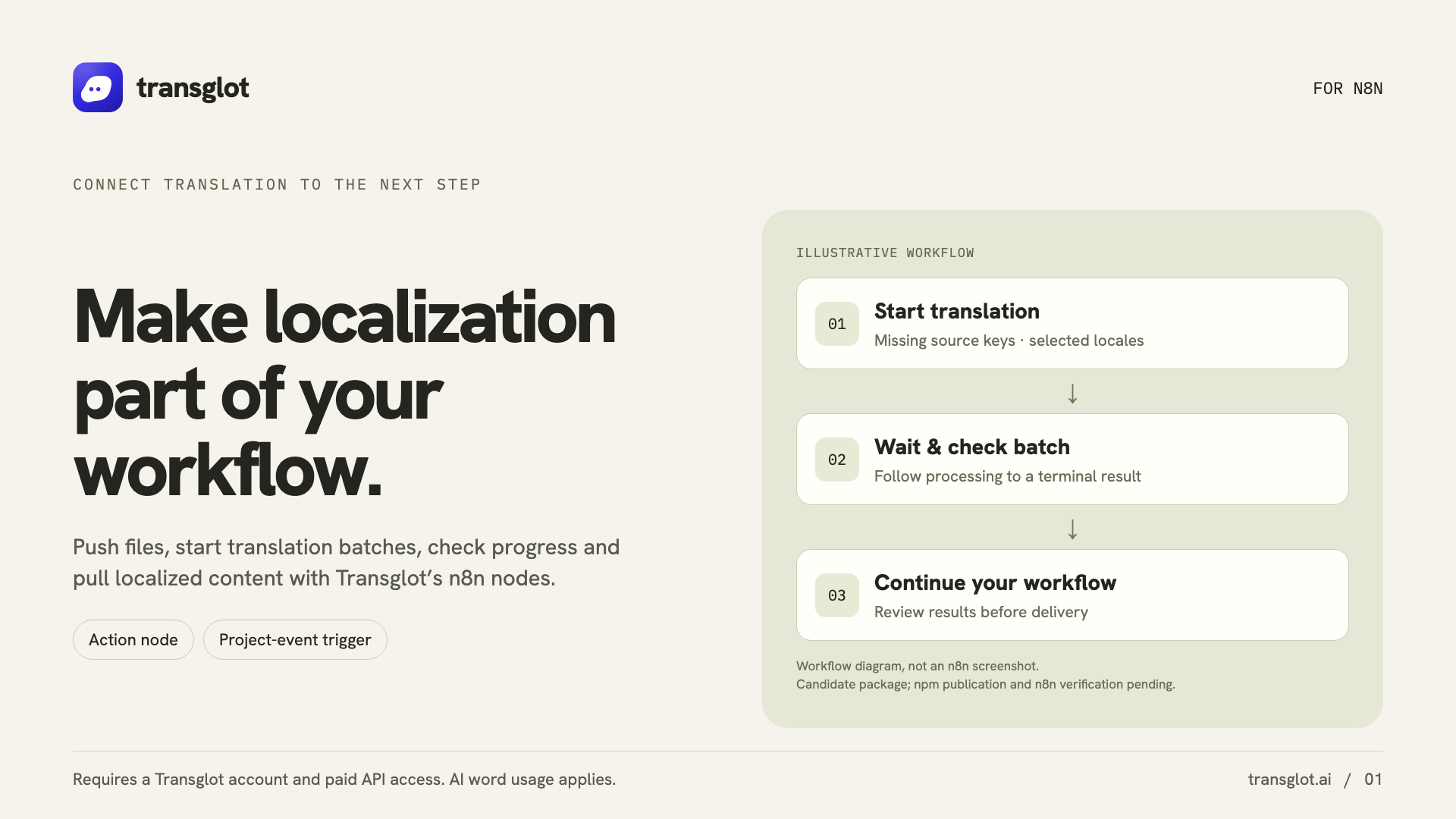
Install the community package in self-hosted n8n, add your project token, and test the connection. Build localization steps with Transglot nodes, then connect project events or an AI agent when you need them.

Workflow actions and signed project events
ריכטונג
Workflow actions and signed project events
פּלאַן
Starter און העכער
סקאָפּ
מקור-טעקע אַפּלאָודס, KI באַטשעס, לאָקאַל-טעקע פּולס, פּראָיעקט-דעטאַילס און סיגנד פּראָיעקט-אווענטן
אָטענטיקאַציע
אַ Transglot פּראָיעקט-צוטריט-טאָקן געהיטן אין אַ פֿאַרשליסלטע n8n קרעדענציאַל
Get started
Install n8n-nodes-transglot from npm in self-hosted n8n.

N8

קאד & דעזיין
Example n8n workflow connecting Transglot localization actions
Example localization workflow with source-file push, AI translation, and target-locale pull.
דער אַרבעטס־פּראָצעס

פֿאַרבינדט אייער אינהאַלט. קוקט אונטער יעדן שפּראַך.

פֿאַרבינדט איין מאָל, וועלט אייער אינהאַלט און שפּראַכן, דערנאָך איבערזעצט און קוקט אונטער אין דעם זעלבן פּראָיעקט. די שריט אונטן ווייַזן ווי עס אַרבעט אין אייער מכשיר.

  1. Install the community package

    In self-hosted n8n, open Settings → Community Nodes → Install and enter n8n-nodes-transglot.

    install
  2. Test the project credential

    Create a Transglot API credential with https://api.transglot.ai and your project token. Run the connection test.

    connect
  3. Build the workflow

    Add a Transglot action to get a project, push a source file, start a translation batch, read its status or pull a locale file.

    actions
  4. Connect events or an agent

    Use Transglot Trigger for signed project events, or attach the action node to an AI agent as a tool.

    automate
Run file pushes, AI batches and locale pulls as workflow steps, or expose the Transglot action as an AI-agent tool.
וואָס באַוועגט זיך

וואָס איר קענט איבערזעצן און ליפֿערן.

אוטאָמאַטיזירט מקור-טעקע פּושים, KI איבערזעצונג-באַטשעס, און לאָקאַל פּולס מיט n8n אַקשאַנז און סיגנד טריגערס.
וואָס איר קענט איבערזעצן און ליפֿערן.
איבערפלאַךוואָס צו דערוואַרטן
מקור און געביט

מקור-טעקע אַפּלאָודס, KI באַטשעס, לאָקאַל-טעקע פּולס, פּראָיעקט-דעטאַילס און סיגנד פּראָיעקט-אווענטן

איבערגעזעצטע אויסגאַבע

Run file pushes, AI batches and locale pulls as workflow steps, or expose the Transglot action as an AI-agent tool.

האַלט אין זינען

Use self-hosted n8n. Triggers need a reachable webhook URL, and AI-agent workflows need a connected model. Cloud installation depends on n8n’s verified-node catalog.

פֿאַרבינדט זיך

אַ ביסל שריט צו אייער ערשטער פֿאַרבינדונג.

פֿאלגט אייער מכשירס שטעלונג אונטן: לייגט צו די פֿאַרבינדונג, וועלט וואָס צו סינקראָניזירן, און פּרובירט עס מיט אַ קליין סעט פֿון אינהאַלט. אייער מאַנשאַפֿט קען פֿאָרטזעצן אַרבעטן אין די מכשירים וואָס זיי שוין ניצן.

וואָס איר דאַרפט

אַ Transglot פּראָיעקט-צוטריט-טאָקן געהיטן אין אַ פֿאַרשליסלטע n8n קרעדענציאַל.

  • אַ Transglot פּראָיעקט מיט זייַנע מקור־ און ציל־לאָקאַלן קאָנפיגורירט.
  • היט קרעדיטן אין די פֿאַרבינדונגס־שטעלונגען, אַזוי אַז אייער מאַנשאַפֿט קען אַרבעטן אָן קאָפּירן סודות צווישן טעקעס.
  • געכאַסטע API־צוטריט פֿאָדערט אַ באַצאָלטן Transglot פּלאַן. KI־איבערזעצונג ניצט אייער אַרבעטס־גרופּעס ווערטער־אַלאַוואַנס.
  1. In self-hosted n8n, open Settings → Community Nodes → Install and enter n8n-nodes-transglot.

  2. Create a Transglot API credential. Set Base URL to https://api.transglot.ai and enter your project token, then test the connection.

  3. Start with Project → Get and Project → Pull to verify the read-only path. Add push or manage abilities only when the workflow needs them.

  4. For an AI agent, connect a chat model and add Transglot as a tool. For event-driven flows, add Transglot Trigger and choose the project event.

דער זעלבער פּראָיעקט, מער מעגלעכקייטן

פֿאַרבינדט דעם רעשט פֿון אייער אַרבעטס־פּראָצעס.

אייערע איבערזעצונגען בלייַבן אין איין פּראָיעקט ווען זיי באַוועגן זיך צווישן מכשירים.

אַרבעט מיט וואָס איר ניצט שוין

41 קאָנעקטאָרן, שוין געבויט.

ברענגט אייער אַרבעטס־פּראָצעס

אייער אינהאַלט, גרייט פֿאַר יעדן לאָקאַל.

פֿאַרבינדט אייער מכשירים, איבערזעצט מיט אייער מאַנשאַפֿט, און פּובליצירט אונטערגעקוקטן אינהאַלט.


















