Hopp til innhold

Valgfri analyse, sesjonsopptak og annonsering er deaktivert med mindre du aksepterer. Du kan avslå dem og bruke Transglot. Endre valget ditt når som helst i Informasjonskapselinnstillinger. Retningslinjer for informasjonskapsler

Alle integrasjoner
spesifikasjonsark · CMS & handel

WordPress and Transglot, publish a multilingual site.

Install the plugin, paste a pairing code, and choose the languages for your site. Sync posts and pages, then publish the translations your team approves, with localized URLs and a language switcher.

Source content in; reviewed translations out
Retning
Source content in; reviewed translations out
Abonnement
Starter og oppover
Omfang
innlegg og sider: tittel, utdrag og innhold
Autentisering
en prosjektsammenkoblingskode angitt i WordPress-pluginen
Kom i gang
Download the plugin, install it in WordPress, and pair your site.

CMS & handel
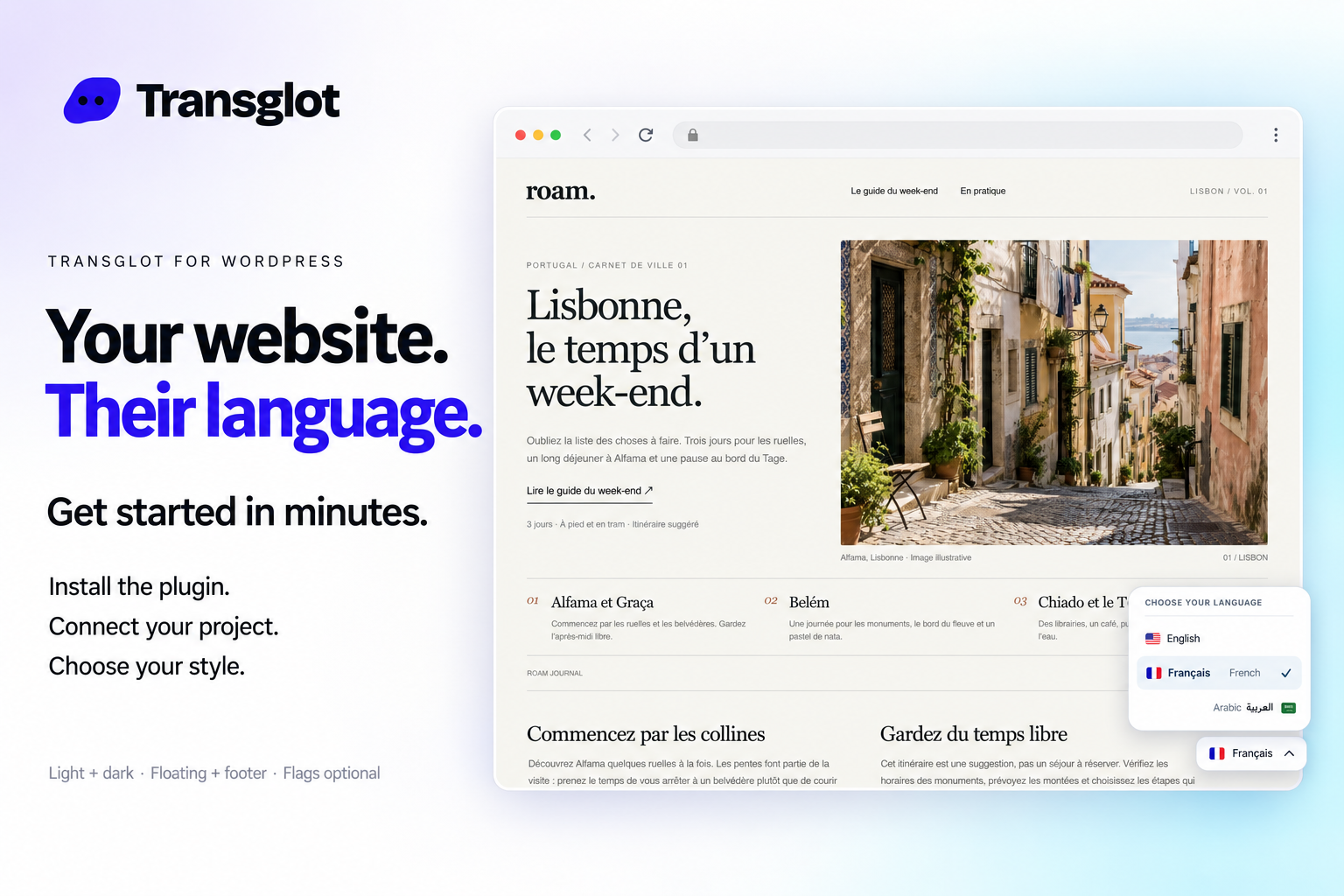
Transglot language switcher and localized WordPress website example
Example WordPress site with the Transglot language switcher.
arbeidsflyten

Koble til innholdet ditt. Gjennomgå alle språk.

Koble til én gang, velg innhold og språk, og oversett og gjennomgå i samme prosjekt. Trinnene nedenfor viser hvordan det fungerer i verktøyet ditt.

  1. Install and pair the plugin

    Download the Transglot plugin ZIP. In WordPress, open Plugins → Add New Plugin → Upload Plugin, choose the ZIP and activate it. In your Transglot project, open WordPress settings and create a pairing code.

    pair
  2. Sync the source content

    Bring the selected posts and pages into the Transglot project.

    sync
  3. Translate and review

    Review target-language copy in the same project as your other localization content.

    gjennomgå
  4. Publish your site locales

    Publish the reviewed translations and check the language switcher and localized page URLs.

    publiser
Publish reviewed translations to the connected WordPress site, with localized URLs and a configurable language switcher.
hva som overføres

Hva du kan oversette og levere.

Koble WordPress-nettstedet ditt med en sammenkoblingskode. Synkroniser innlegg og sider, gjennomgå oversettelser i Transglot, og publiser lokaliserte sider med en språkvelger som passer til nettstedet ditt.
Hva du kan oversette og levere.
GrensesnittHva du kan forvente
Kilde og omfang

innlegg og sider: tittel, utdrag og innhold

Oversatt resultat

Publish reviewed translations to the connected WordPress site, with localized URLs and a configurable language switcher.

Husk på

Choose the posts and pages to sync. Review translated pages, localized URLs, and your language switcher before sharing them with visitors.

bli koblet til

Noen få steg til din første tilkobling.

Følg oppsettet for verktøyet ditt nedenfor: legg til tilkoblingen, velg hva som skal synkroniseres, og prøv med et lite utvalg av innhold. Teamet ditt kan fortsette å jobbe i verktøyene de allerede bruker.

Hva du trenger

en prosjektsammenkoblingskode angitt i WordPress-pluginen.

  • Et Transglot-prosjekt med kilde- og målspråk konfigurert.
  • Lagre legitimasjonen i tilkoblingsinnstillingene slik at teamet ditt kan jobbe uten å kopiere hemmeligheter mellom filer.
  • Tilgang til hostet API krever en betalt Transglot-plan. AI-oversettelse bruker arbeidsplassens ordkvote.
  1. Download the Transglot plugin ZIP. In WordPress, open Plugins → Add New Plugin → Upload Plugin, choose the ZIP and activate it.

  2. In your Transglot project, open WordPress settings and create a pairing code.

  3. In WordPress’s Transglot setup, paste the pairing code and complete the connection.

  4. Sync your source content, review the target translations, then publish them to the site. Configure the language switcher and URL settings in the plugin.

samme prosjekt, flere muligheter

Koble til resten av arbeidsflyten din.

Oversettelsene dine forblir i ett prosjekt mens de flyttes mellom verktøy.

fungerer med det du allerede bruker

41 koblinger, allerede bygget.

ta med arbeidsflyten din

Innholdet ditt, klart for alle språk.

Koble sammen verktøyene dine, oversett med teamet ditt og publiser gjennomgått innhold.

















