ข้ามไปยังเนื้อหา

ระบบวิเคราะห์ การบันทึกเซสชัน และการโฆษณาแบบเลือกได้จะปิดอยู่จนกว่าคุณจะยอมรับ คุณสามารถปฏิเสธและใช้งาน Transglot ได้ เปลี่ยนการตั้งค่าได้ทุกเมื่อใน การตั้งค่าคุกกี้ นโยบายคุกกี้

การผสานรวมทั้งหมด
เอกสารข้อมูลจำเพาะ · CMS และพาณิชย์อิเล็กทรอนิกส์

WordPress and Transglot, publish a multilingual site.

Install the plugin, paste a pairing code, and choose the languages for your site. Sync posts and pages, then publish the translations your team approves, with localized URLs and a language switcher.

Source content in; reviewed translations out
ทิศทาง
Source content in; reviewed translations out
แผน
Starter ขึ้นไป
ขอบเขต
โพสต์และหน้าเว็บ: ชื่อเรื่อง, บทคัดย่อ และเนื้อหา
การตรวจสอบสิทธิ์
รหัสจับคู่โปรเจกต์ที่ป้อนในปลั๊กอิน WordPress
เริ่มต้นใช้งาน
Download the plugin, install it in WordPress, and pair your site.

CMS และพาณิชย์อิเล็กทรอนิกส์
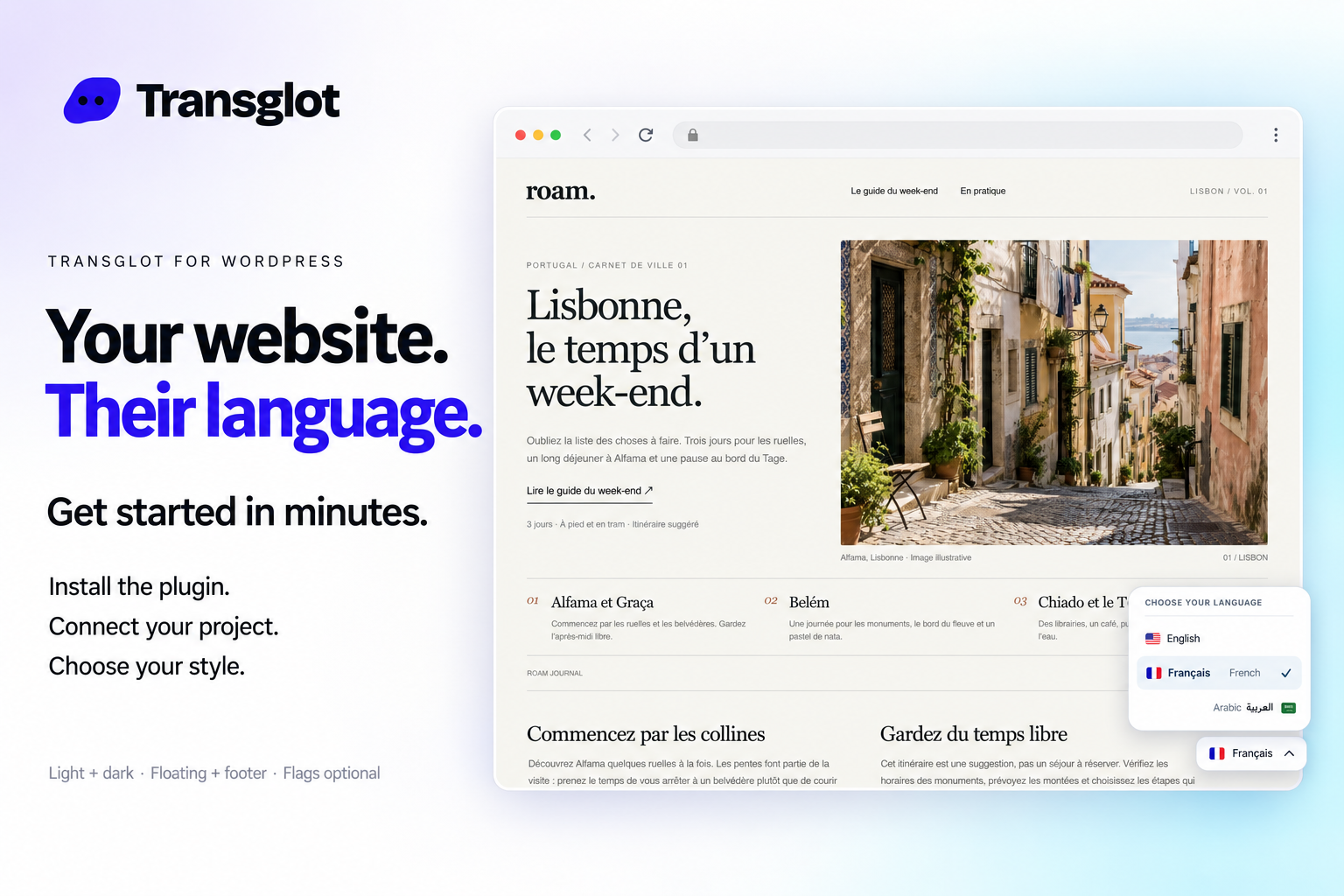
Transglot language switcher and localized WordPress website example
Example WordPress site with the Transglot language switcher.
เวิร์กโฟลว์

เชื่อมต่อเนื้อหาของคุณ ตรวจสอบทุกภาษา

เชื่อมต่อเพียงครั้งเดียว เลือกเนื้อหาและภาษา จากนั้นแปลและตรวจสอบในโปรเจกต์เดียวกัน ขั้นตอนด้านล่างแสดงวิธีการทำงานในเครื่องมือของคุณ

  1. Install and pair the plugin

    Download the Transglot plugin ZIP. In WordPress, open Plugins → Add New Plugin → Upload Plugin, choose the ZIP and activate it. In your Transglot project, open WordPress settings and create a pairing code.

    pair
  2. Sync the source content

    Bring the selected posts and pages into the Transglot project.

    sync
  3. Translate and review

    Review target-language copy in the same project as your other localization content.

    ตรวจสอบ
  4. Publish your site locales

    Publish the reviewed translations and check the language switcher and localized page URLs.

    เผยแพร่
Publish reviewed translations to the connected WordPress site, with localized URLs and a configurable language switcher.
สิ่งที่ดำเนินการ

สิ่งที่คุณสามารถแปลและส่งมอบได้

เชื่อมต่อไซต์ WordPress ของคุณด้วยรหัสจับคู่ ซิงค์โพสต์และหน้า ตรวจสอบคำแปลใน Transglot และเผยแพร่หน้าที่แปลแล้วพร้อมตัวเลือกสลับภาษาที่เข้ากับไซต์ของคุณ
สิ่งที่คุณสามารถแปลและส่งมอบได้
พื้นผิวสิ่งที่คาดหวัง
แหล่งที่มาและขอบเขต

โพสต์และหน้าเว็บ: ชื่อเรื่อง, บทคัดย่อ และเนื้อหา

ผลลัพธ์ที่แปลแล้ว

Publish reviewed translations to the connected WordPress site, with localized URLs and a configurable language switcher.

โปรดทราบ

Choose the posts and pages to sync. Review translated pages, localized URLs, and your language switcher before sharing them with visitors.

เริ่มเชื่อมต่อ

ไม่กี่ขั้นตอนสู่การเชื่อมต่อครั้งแรกของคุณ

ทำตามขั้นตอนการตั้งค่าของเครื่องมือด้านล่าง: เพิ่มการเชื่อมต่อ เลือกสิ่งที่ต้องการซิงค์ และลองใช้งานกับชุดเนื้อหาขนาดเล็ก ทีมของคุณสามารถทำงานต่อไปในเครื่องมือที่พวกเขาใช้อยู่แล้วได้

สิ่งที่คุณต้องการ

รหัสจับคู่โปรเจกต์ที่ป้อนในปลั๊กอิน WordPress.

  • โปรเจกต์ Transglot ที่มีการกำหนดค่าภาษาต้นทางและภาษาเป้าหมายเรียบร้อยแล้ว
  • บันทึกข้อมูลรับรองในการตั้งค่าการเชื่อมต่อ เพื่อให้ทีมของคุณทำงานได้โดยไม่ต้องคัดลอกรหัสลับระหว่างไฟล์
  • การเข้าถึง API แบบโฮสต์ต้องใช้แผน Transglot แบบชำระเงิน การแปลด้วย AI จะใช้โควต้าคำของพื้นที่ทำงานของคุณ
  1. Download the Transglot plugin ZIP. In WordPress, open Plugins → Add New Plugin → Upload Plugin, choose the ZIP and activate it.

  2. In your Transglot project, open WordPress settings and create a pairing code.

  3. In WordPress’s Transglot setup, paste the pairing code and complete the connection.

  4. Sync your source content, review the target translations, then publish them to the site. Configure the language switcher and URL settings in the plugin.

โปรเจกต์เดียวกัน ความเป็นไปได้มากขึ้น

เชื่อมต่อส่วนที่เหลือของเวิร์กโฟลว์ของคุณ

การแปลของคุณจะอยู่ในโปรเจกต์เดียวขณะเคลื่อนย้ายระหว่างเครื่องมือ

ใช้งานร่วมกับสิ่งที่คุณใช้อยู่แล้ว

41 ตัวเชื่อมต่อ พร้อมใช้งานแล้ว

นำเวิร์กโฟลว์ของคุณมา

เนื้อหาของคุณ, พร้อมสำหรับทุกภาษา

เชื่อมต่อเครื่องมือของคุณ แปลร่วมกับทีมของคุณ และเผยแพร่เนื้อหาที่ผ่านการตรวจสอบแล้ว

















