Naar inhoud springen

Optionele analytics, sessierecording en advertenties blijven uitgeschakeld totdat je ze accepteert. Je kunt ze weigeren en Transglot gewoon gebruiken. Wijzig je keuze op elk moment in Cookievoorkeuren. Cookiebeleid

Alle integraties
specificatieblad · cms & commerce

WordPress and Transglot, publish a multilingual site.

Install the plugin, paste a pairing code, and choose the languages for your site. Sync posts and pages, then publish the translations your team approves, with localized URLs and a language switcher.

Source content in; reviewed translations out
Richting
Source content in; reviewed translations out
Abonnement
Starter en hoger
Bereik
berichten en pagina's: titel, samenvatting en inhoud
Authenticatie
een projectkoppelcode ingevoerd in de WordPress-plug-in
Aan de slag
Download the plugin, install it in WordPress, and pair your site.

cms & commerce
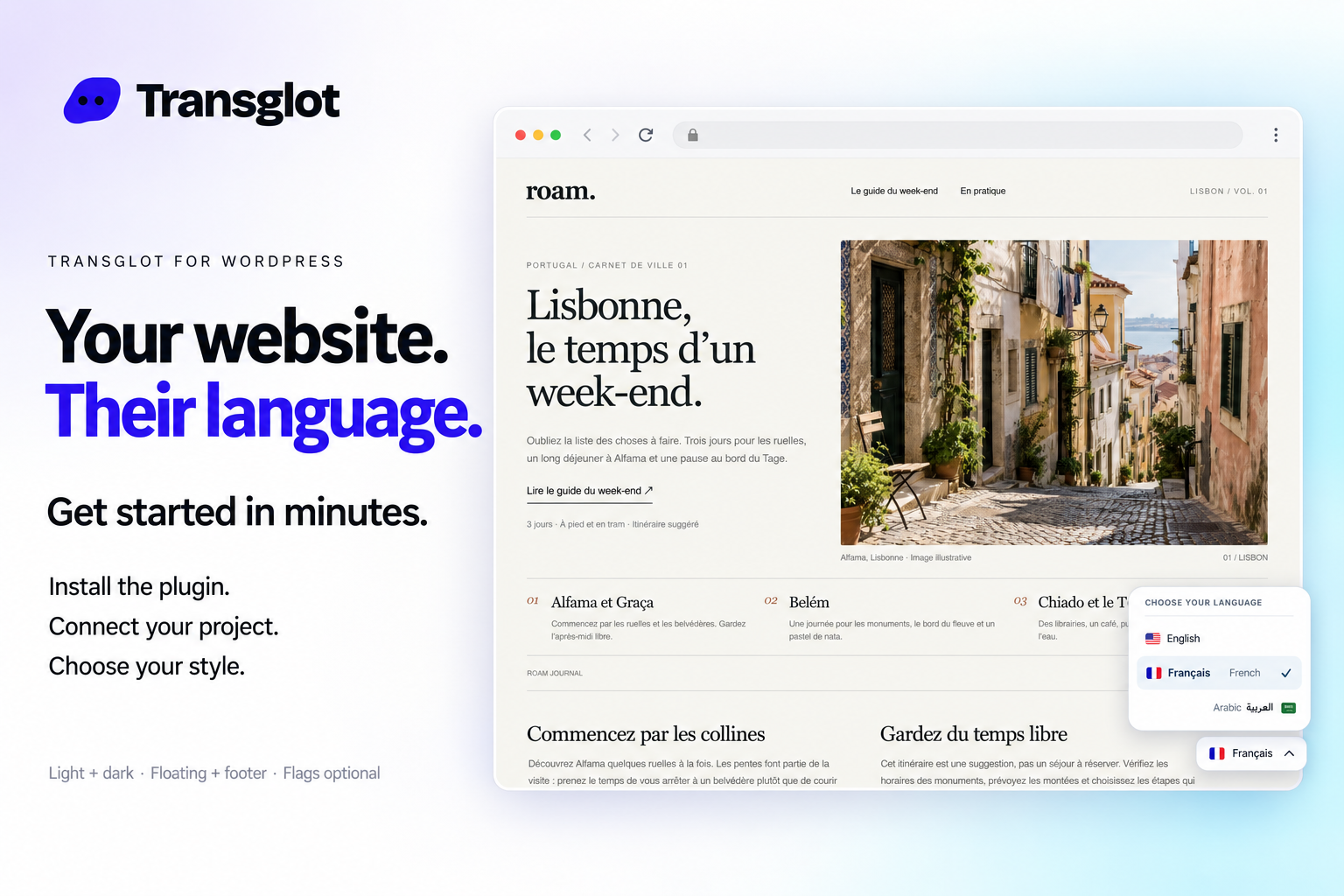
Transglot language switcher and localized WordPress website example
Example WordPress site with the Transglot language switcher.
de workflow

Koppel je content. Beoordeel elke taal.

Koppel één keer, kies je content en talen, en vertaal en beoordeel vervolgens in hetzelfde project. De onderstaande stappen laten zien hoe dit werkt in jouw tool.

  1. Install and pair the plugin

    Download the Transglot plugin ZIP. In WordPress, open Plugins → Add New Plugin → Upload Plugin, choose the ZIP and activate it. In your Transglot project, open WordPress settings and create a pairing code.

    pair
  2. Sync the source content

    Bring the selected posts and pages into the Transglot project.

    sync
  3. Translate and review

    Review target-language copy in the same project as your other localization content.

    review
  4. Publish your site locales

    Publish the reviewed translations and check the language switcher and localized page URLs.

    publiceren
Publish reviewed translations to the connected WordPress site, with localized URLs and a configurable language switcher.
wat er gebeurt

Wat je kunt vertalen en leveren.

Verbind je WordPress-site met een koppelcode. Synchroniseer berichten en pagina’s, bekijk vertalingen in Transglot en publiceer gelokaliseerde pagina’s met een taalschakelaar die bij je site past.
Wat je kunt vertalen en leveren.
OppervlakWat je kunt verwachten
Bron en bereik

berichten en pagina's: titel, samenvatting en inhoud

Vertaalde output

Publish reviewed translations to the connected WordPress site, with localized URLs and a configurable language switcher.

Houd rekening met

Choose the posts and pages to sync. Review translated pages, localized URLs, and your language switcher before sharing them with visitors.

maak verbinding

Een paar stappen naar je eerste koppeling.

Volg hieronder de setup van jouw tool: voeg de koppeling toe, kies wat je wilt synchroniseren en probeer het uit met een kleine set content. Je team kan blijven werken in de tools die ze al gebruiken.

Wat je nodig hebt

een projectkoppelcode ingevoerd in de WordPress-plug-in.

  • Een Transglot-project met geconfigureerde bron- en doeltaalgebieden.
  • Sla referenties op in de verbindingsinstellingen, zodat je team kan werken zonder geheimen tussen bestanden te kopiëren.
  • Gehoste API-toegang vereist een betaald Transglot-abonnement. AI-vertaling gebruikt het woordentegoed van je werkruimte.
  1. Download the Transglot plugin ZIP. In WordPress, open Plugins → Add New Plugin → Upload Plugin, choose the ZIP and activate it.

  2. In your Transglot project, open WordPress settings and create a pairing code.

  3. In WordPress’s Transglot setup, paste the pairing code and complete the connection.

  4. Sync your source content, review the target translations, then publish them to the site. Configure the language switcher and URL settings in the plugin.

zelfde project, meer mogelijkheden

Koppel de rest van je workflow.

Je vertalingen blijven in één project terwijl ze tussen tools worden verplaatst.

werkt met wat je al draait

41 connectors, al gebouwd.

breng je workflow mee

Jouw content, klaar voor elk taalgebied.

Koppel je tools, vertaal met je team en publiceer beoordeelde content.

















