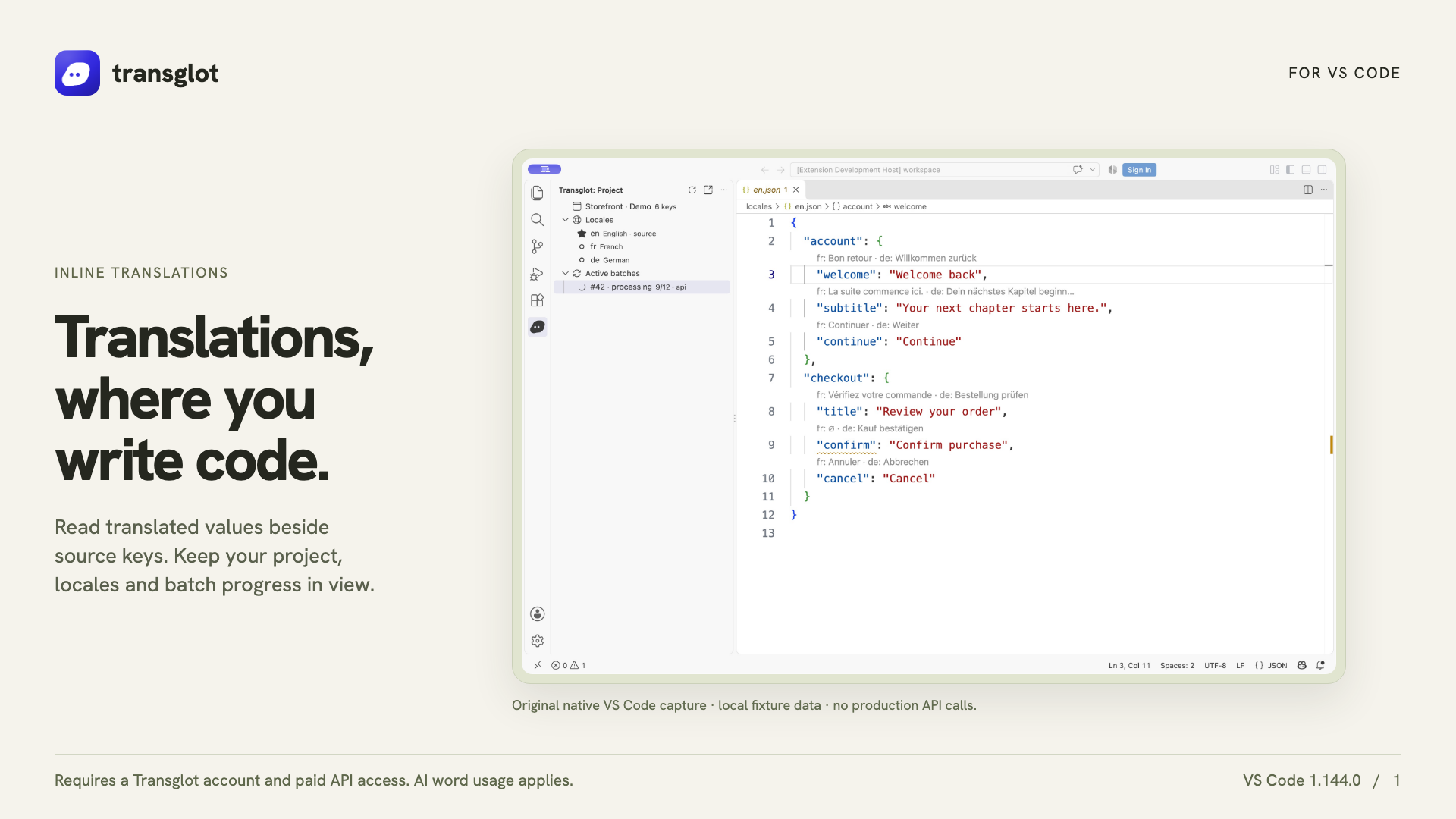
VS Code and Transglot, translations beside your code.
Install the extension, open your configured workspace, and sign in with a project token. See translations beside your source, find missing keys, and push or pull locale files from VS Code.
Native VS Code capture using an example localization project.
工作流
连接您的内容。审阅所有语言版本。
一次连接,选择内容和语言,然后在同一项目中翻译和审阅。以下步骤展示了它如何在您的工具中运行。
您的项目
VS
connectinspect翻译deliver
01
Connect your project
Install Transglot from the Marketplace, then run Transglot: Sign In with your project access token.
connect
02
Inspect the source keys
Open a configured JSON locale file to see CodeLens values, translated hovers and missing-key diagnostics.
inspect
03
Update the translations
Edit a target translation or explicitly start an AI translation batch from the extension.
翻译
04
Push and pull the files
Push source changes and pull translated locale files through the same project used by your CLI and CI.
deliver
Inspect translations inline, edit a locale value, and pull locale files back into your workspace.
流动的内容
您可以翻译和交付的内容。
在您编写的代码旁进行翻译。检查区域设置值、查找缺失的翻译,并从 VS Code 推送或拉取数据。
您可以翻译和交付的内容。
界面
预期效果
源内容与范围
源文件、内联 JSON 翻译、缺失键诊断和区域设置下载
翻译输出
Inspect translations inline, edit a locale value, and pull locale files back into your workspace.
注意事项
Inline translations and missing-key diagnostics support the JSON-family formats. File push, pull and AI batches support the wider Transglot format catalog.