Naar inhoud springen

Optionele analytics, sessierecording en advertenties blijven uitgeschakeld totdat je ze accepteert. Je kunt ze weigeren en Transglot gewoon gebruiken. Wijzig je keuze op elk moment in Cookievoorkeuren. Cookiebeleid

Alle integraties
specificatieblad · code & design

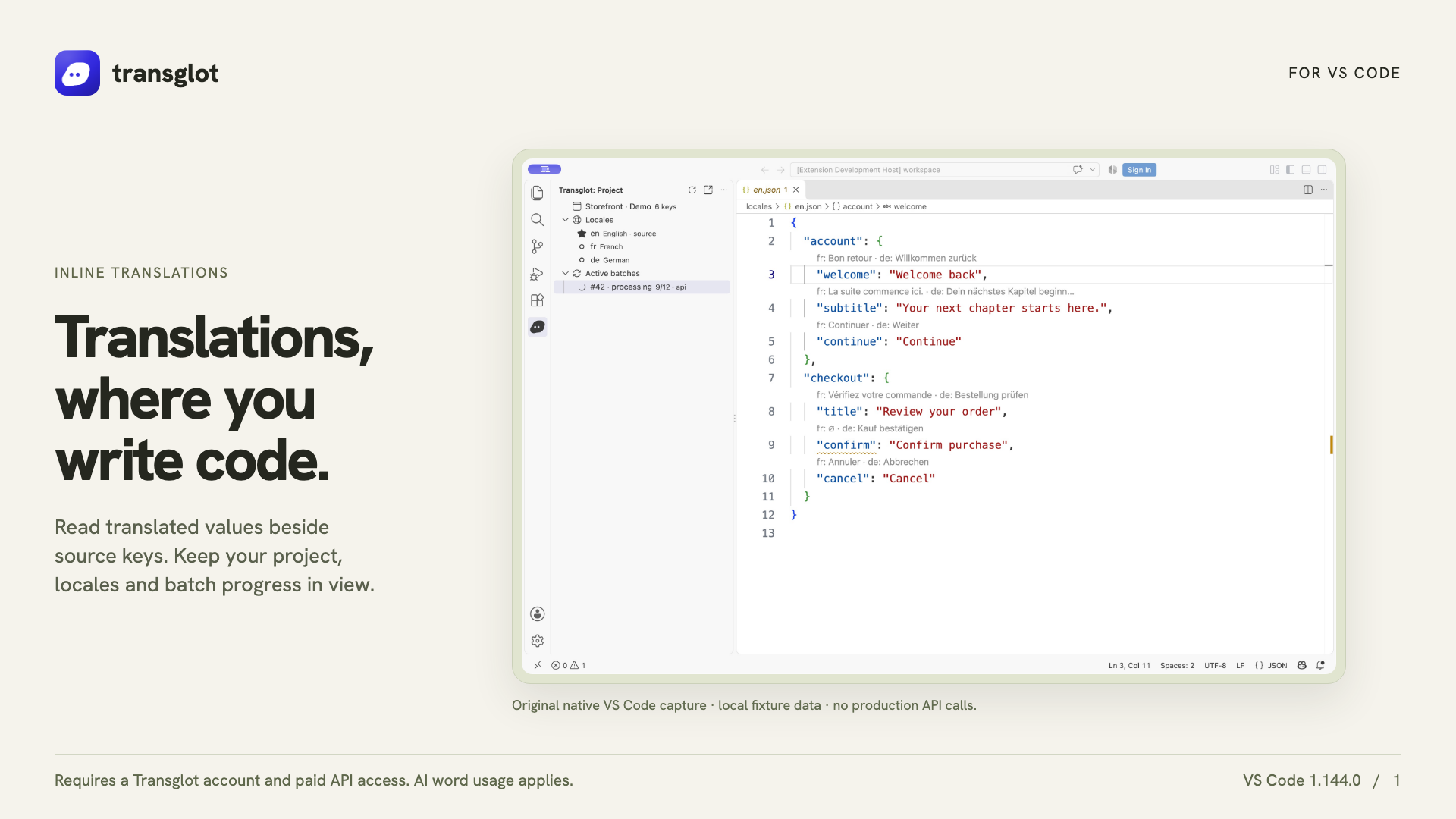
VS Code and Transglot, translations beside your code.

Install the extension, open your configured workspace, and sign in with a project token. See translations beside your source, find missing keys, and push or pull locale files from VS Code.

Source files and locale translations
Richting
Source files and locale translations
Abonnement
Starter en hoger
Bereik
bronbestanden, inline JSON-vertalingen, diagnostiek voor ontbrekende sleutels en locatie-downloads
Authenticatie
een Transglot-projecttoegangstoken opgeslagen in VS Code SecretStorage
Aan de slag
Available on the VS Code Marketplace.

VS

code & design
Transglot VS Code extension showing real inline translations in an example project
Native VS Code capture using an example localization project.
de workflow

Koppel je content. Beoordeel elke taal.

Koppel één keer, kies je content en talen, en vertaal en beoordeel vervolgens in hetzelfde project. De onderstaande stappen laten zien hoe dit werkt in jouw tool.

  1. Connect your project

    Install Transglot from the Marketplace, then run Transglot: Sign In with your project access token.

    connect
  2. Inspect the source keys

    Open a configured JSON locale file to see CodeLens values, translated hovers and missing-key diagnostics.

    inspect
  3. Update the translations

    Edit a target translation or explicitly start an AI translation batch from the extension.

    vertalen
  4. Push and pull the files

    Push source changes and pull translated locale files through the same project used by your CLI and CI.

    deliver
Inspect translations inline, edit a locale value, and pull locale files back into your workspace.
wat er gebeurt

Wat je kunt vertalen en leveren.

Vertaal naast de code die u al schrijft. Inspecteer locatiewaarden, vind ontbrekende vertalingen en push of pull vanuit VS Code.
Wat je kunt vertalen en leveren.
OppervlakWat je kunt verwachten
Bron en bereik

bronbestanden, inline JSON-vertalingen, diagnostiek voor ontbrekende sleutels en locatie-downloads

Vertaalde output

Inspect translations inline, edit a locale value, and pull locale files back into your workspace.

Houd rekening met

Inline translations and missing-key diagnostics support the JSON-family formats. File push, pull and AI batches support the wider Transglot format catalog.

maak verbinding

Een paar stappen naar je eerste koppeling.

Volg hieronder de setup van jouw tool: voeg de koppeling toe, kies wat je wilt synchroniseren en probeer het uit met een kleine set content. Je team kan blijven werken in de tools die ze al gebruiken.

Wat je nodig hebt

een Transglot-projecttoegangstoken opgeslagen in VS Code SecretStorage.

  • Een Transglot-project met geconfigureerde bron- en doeltaalgebieden.
  • Sla referenties op in de verbindingsinstellingen, zodat je team kan werken zonder geheimen tussen bestanden te kopiëren.
  • Gehoste API-toegang vereist een betaald Transglot-abonnement. AI-vertaling gebruikt het woordentegoed van je werkruimte.
  1. Install Transglot from the VS Code Marketplace, or run code --install-extension transglot.transglot.

  2. Open a trusted workspace with a transglot.json configuration for its source files and pull paths.

  3. Run Transglot: Sign In and enter the project token when prompted. The token is stored in SecretStorage, not in workspace settings.

  4. Open a configured locale file. Use the project tree and command palette to inspect, edit, push, translate or pull.

zelfde project, meer mogelijkheden

Koppel de rest van je workflow.

Je vertalingen blijven in één project terwijl ze tussen tools worden verplaatst.

werkt met wat je al draait

41 connectors, al gebouwd.

breng je workflow mee

Jouw content, klaar voor elk taalgebied.

Koppel je tools, vertaal met je team en publiceer beoordeelde content.


















