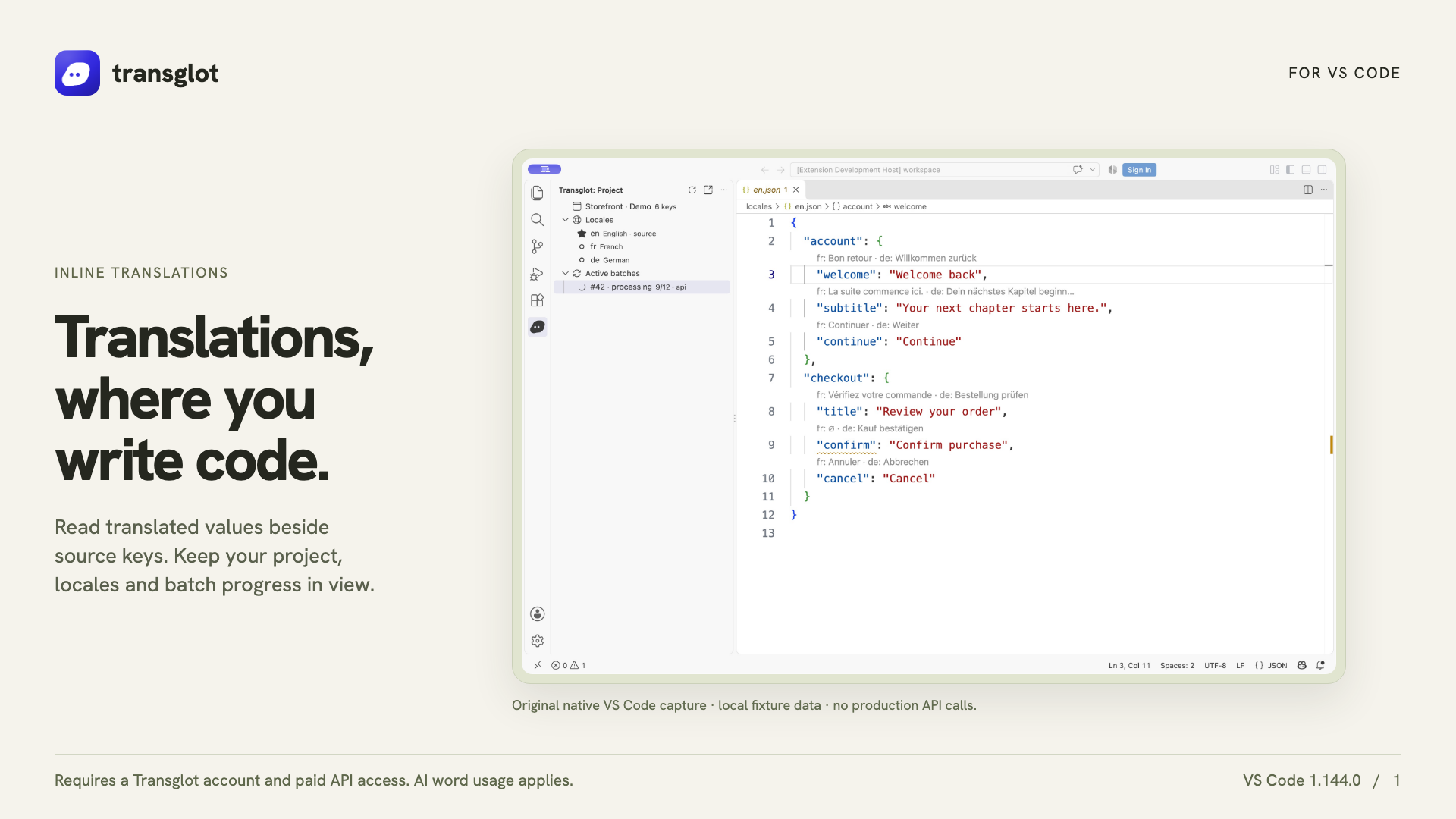
VS Code and Transglot, translations beside your code.
Install the extension, open your configured workspace, and sign in with a project token. See translations beside your source, find missing keys, and push or pull locale files from VS Code.
Native VS Code capture using an example localization project.
워크플로
콘텐츠를 연결하고 모든 언어를 검토하세요.
한 번 연결하여 콘텐츠와 언어를 선택한 후, 동일한 프로젝트에서 번역 및 검토를 진행하세요. 아래 단계는 해당 도구가 어떻게 작동하는지 보여줍니다.
프로젝트
VS
connectinspect번역deliver
01
Connect your project
Install Transglot from the Marketplace, then run Transglot: Sign In with your project access token.
connect
02
Inspect the source keys
Open a configured JSON locale file to see CodeLens values, translated hovers and missing-key diagnostics.
inspect
03
Update the translations
Edit a target translation or explicitly start an AI translation batch from the extension.
번역
04
Push and pull the files
Push source changes and pull translated locale files through the same project used by your CLI and CI.
deliver
Inspect translations inline, edit a locale value, and pull locale files back into your workspace.
연동되는 항목
번역 및 전달 가능한 항목
기존 코드 작업 옆에서 번역하세요. 로케일 값을 검사하고 누락된 번역을 찾아 VS Code에서 푸시하거나 풀할 수 있습니다.
번역 및 전달 가능한 항목
표면
예상 사항
소스 및 범위
소스 파일, 인라인 JSON 번역, 누락 키 진단 및 로케일 다운로드
번역 결과물
Inspect translations inline, edit a locale value, and pull locale files back into your workspace.
주의 사항
Inline translations and missing-key diagnostics support the JSON-family formats. File push, pull and AI batches support the wider Transglot format catalog.
연결 시작하기
첫 번째 연결을 위한 몇 가지 단계
아래 도구의 설정을 따르세요: 연결을 추가하고 동기화할 항목을 선택한 후 소량의 콘텐츠로 테스트해 보세요. 팀은 기존에 사용하던 도구에서 계속 작업할 수 있습니다.
필요한 항목
VS Code SecretStorage에 저장된 Transglot 프로젝트 액세스 토큰.
소스 및 대상 로케일이 구성된 Transglot 프로젝트
팀이 파일 간에 시크릿을 복사하지 않고 작업할 수 있도록 연결 설정에 자격 증명을 저장하세요.
호스팅된 API 액세스에는 유료 Transglot 플랜이 필요합니다. AI 번역은 워크스페이스의 단어 허용량을 사용합니다.