דלג לתוכן

ניתוחים אופציונליים, הקלטת הפעלה ופרסום נשארים כבויים אלא אם תקבלו אותם. ניתן לדחות אותם ולהשתמש ב-Transglot. ניתן לשנות את הבחירה בכל עת ב-העדפות עוגיות. מדיניות עוגיות

כל האינטגרציות
גיליון מפרט · קוד ועיצוב

VS Code and Transglot, translations beside your code.

Install the extension, open your configured workspace, and sign in with a project token. See translations beside your source, find missing keys, and push or pull locale files from VS Code.

Source files and locale translations
כיוון
Source files and locale translations
תוכנית
Starter ומעלה
היקף
קובצי מקור, תרגומי JSON מוטבעים, אבחוני מפתחות חסרים והורדת אזור
אימות
אסימון גישה לפרויקט Transglot המאוחסן ב-VS Code SecretStorage
התחלה
Available on the VS Code Marketplace.

VS

קוד ועיצוב
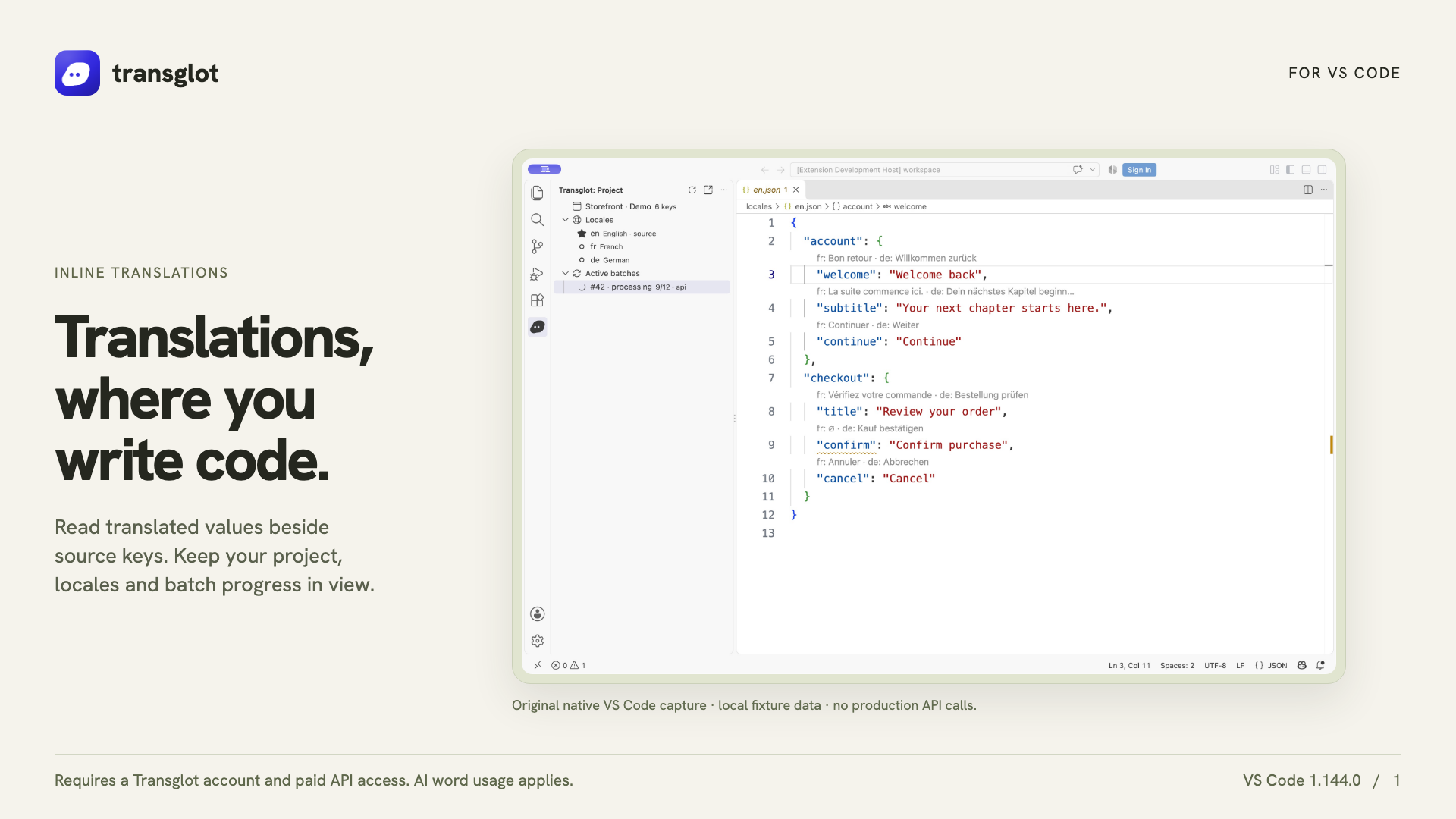
Transglot VS Code extension showing real inline translations in an example project
Native VS Code capture using an example localization project.
תהליך העבודה

חברו את התוכן שלכם. סקרו כל שפה.

חברו פעם אחת, בחרו את התוכן והשפות, ואז תרגמו וסקרו באותו פרויקט. השלבים הבאים מראים איך זה עובד בכלי שלכם.

  1. Connect your project

    Install Transglot from the Marketplace, then run Transglot: Sign In with your project access token.

    connect
  2. Inspect the source keys

    Open a configured JSON locale file to see CodeLens values, translated hovers and missing-key diagnostics.

    inspect
  3. Update the translations

    Edit a target translation or explicitly start an AI translation batch from the extension.

    תרגום
  4. Push and pull the files

    Push source changes and pull translated locale files through the same project used by your CLI and CI.

    deliver
Inspect translations inline, edit a locale value, and pull locale files back into your workspace.
מה זז

מה ניתן לתרגם ולספק.

תרגם לצד הקוד שכבר כתבת. בדוק ערכי אזור, מצא תרגומים חסרים, ובצע push או pull מתוך VS Code.
מה ניתן לתרגם ולספק.
משטחמה לצפות
מקור והיקף

קובצי מקור, תרגומי JSON מוטבעים, אבחוני מפתחות חסרים והורדת אזור

פלט מתורגם

Inspect translations inline, edit a locale value, and pull locale files back into your workspace.

שימו לב

Inline translations and missing-key diagnostics support the JSON-family formats. File push, pull and AI batches support the wider Transglot format catalog.

התחברו

כמה צעדים לחיבור הראשון שלכם.

פעלו לפי ההגדרות של הכלי שלכם למטה: הוסיפו את החיבור, בחרו מה לסנכרן ונסו זאת עם קבוצה קטנה של תוכן. הצוות שלכם יכול להמשיך לעבוד בכלים שכבר בשימוש.

מה נדרש

אסימון גישה לפרויקט Transglot המאוחסן ב-VS Code SecretStorage.

  • פרויקט Transglot עם הגדרת שפות המקור והיעד.
  • שמרו את האישורים בהגדרות החיבור כדי שהצוות שלכם יוכל לעבוד ללא העתקת סודות בין קבצים.
  • גישה ל-API מאוחסן דורשת חבילת Transglot בתשלום. תרגום AI משתמש במכסת המילים של סביבת העבודה שלכם.
  1. Install Transglot from the VS Code Marketplace, or run code --install-extension transglot.transglot.

  2. Open a trusted workspace with a transglot.json configuration for its source files and pull paths.

  3. Run Transglot: Sign In and enter the project token when prompted. The token is stored in SecretStorage, not in workspace settings.

  4. Open a configured locale file. Use the project tree and command palette to inspect, edit, push, translate or pull.

אותו פרויקט, יותר אפשרויות

חברו את שאר תהליך העבודה שלכם.

התרגומים שלכם נשארים בפרויקט אחד כשהם עוברים בין כלים.

עובד עם מה שכבר מופעל אצלך

41 מחברים, כבר מובנים.

הביאו את תהליך העבודה שלכם

התוכן שלכם, מוכן לכל שפה.

חברו את הכלים שלכם, תרגמו עם הצוות שלכם ופרסמו תוכן שעבר סקירה.


















