پرش به محتوا

تحلیل‌های اختیاری، ضبط نشست و تبلیغات تا زمانی که نپذیرید غیرفعال می‌مانند. می‌توانید آن‌ها را رد کنید و از Transglot استفاده نمایید. هر زمان خواستید انتخاب خود را در ترجیحات کوکی تغییر دهید. سیاست کوکی‌ها

همه ادغام‌ها
برگه مشخصات · کد و طراحی

Figma and Transglot, see every locale in your design.

Install the development plugin and connect your project with a token. Select text to translate, then preview another language in your design without moving copy through spreadsheets.

Text layers → project → design previews
جهت
Text layers → project → design previews
طرح
Starter و بالاتر
دامنه
لایه‌های متنی انتخاب شده، حالت‌های متغیر و نسخه‌های طراحی ترجمه شده
احراز هویت
یک توکن دسترسی پروژه Transglot که در افزونه تأیید شده است
شروع کار
Download the plugin and connect it to your Transglot project.
کد و طراحی
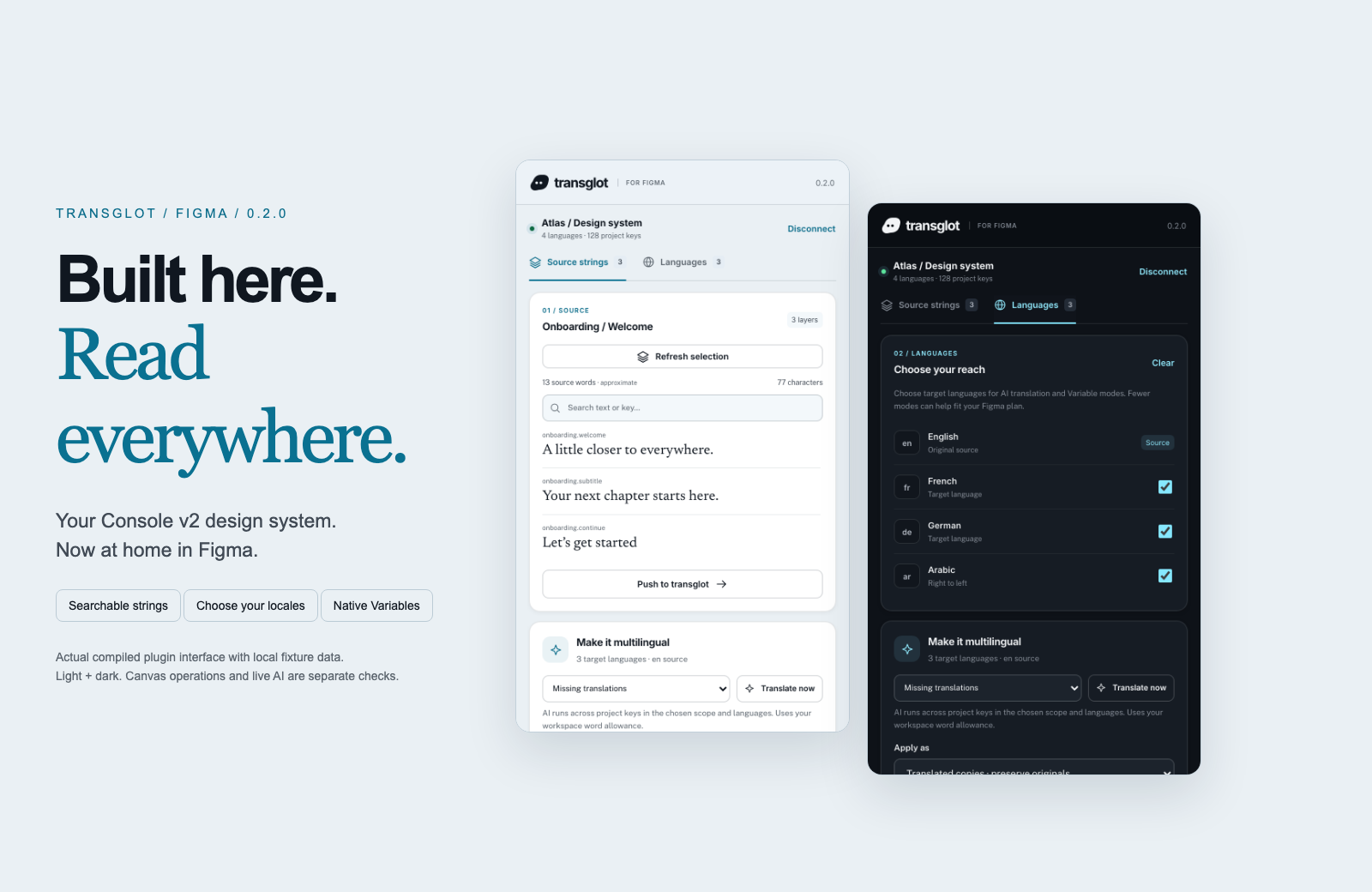
Transglot Figma plugin showing source strings, target languages, and localized design previews
Collect source strings, pull target locales, and inspect translated designs in the Transglot Figma plugin.
گردش کار

محتوای خود را متصل کنید. هر زبان را بررسی کنید.

یک‌بار متصل شوید، محتوا و زبان‌های مورد نظر را انتخاب کنید، سپس در همان پروژه ترجمه و بازبینی نمایید. مراحل زیر نحوه عملکرد آن را در ابزار شما نشان می‌دهند.

  1. Collect the text layers

    Select a frame or text layers and collect the strings you want to localize.

    collect
  2. Push to the project

    Send source text to Transglot with stable keys for the mapped layers.

    push
  3. Translate and pull

    Translate in your project or start a batch from the plugin, then pull the target locales.

    pull
  4. Review the localized design

    Preview Variable modes, reset the source view, or create translated copies and inspect the layout.

    preview
Apply translations to Variable modes or create translated copies so your team can inspect each locale on the canvas.
آنچه جابه‌جا می‌شود

آنچه می‌توانید ترجمه و تحویل دهید.

متون طراحی را جمع‌آوری کنید، آن‌ها را با تیم خود ترجمه کرده و هر منطقه محلی را با حالت‌های متغیر یا نسخه‌های ترجمه شده بررسی کنید.
آنچه می‌توانید ترجمه و تحویل دهید.
سطحانتظارات
منبع و دامنه

لایه‌های متنی انتخاب شده، حالت‌های متغیر و نسخه‌های طراحی ترجمه شده

خروجی ترجمه‌شده

Apply translations to Variable modes or create translated copies so your team can inspect each locale on the canvas.

نکات مهم

Variable modes depend on the limits of your Figma plan. Translated copies provide a separate preview workflow. Check fonts and layout after applying a locale.

متصل شوید

چند مرحله تا اولین اتصال شما.

طبق راهنمای زیر برای ابزار خود عمل کنید: اتصال را اضافه کنید، موارد همگام‌سازی را انتخاب کرده و آن را با مجموعه کوچکی از محتوا آزمایش کنید. تیم شما می‌تواند به کار در ابزارهایی که هم‌اکنون استفاده می‌کنند، ادامه دهد.

موارد مورد نیاز

یک توکن دسترسی پروژه Transglot که در افزونه تأیید شده است.

  • یک پروژه Transglot با پیکربندی زبان‌های مبدأ و مقصد.
  • اطلاعات احراز هویت را در تنظیمات اتصال ذخیره کنید تا تیم شما بدون کپی کردن کلیدهای امنیتی بین فایل‌ها بتواند کار کند.
  • دسترسی به API میزبان نیازمند طرح پرداختی Transglot است. ترجمه هوش مصنوعی از سهمیه کلمات فضای کاری شما استفاده می‌کند.
  1. Download and extract the plugin ZIP. In Figma desktop, open Plugins → Development → Import plugin from manifest and select manifest.json.

  2. Create a Transglot project token with push and pull abilities; add manage if you want to start an AI translation batch.

  3. Open the plugin, enter the API URL and token, then test and save the connection.

  4. Collect the selected text layers, push the source, and pull target locales. Apply Variable modes or make translated copies to review the design.

همان پروژه، امکانات بیشتر

بقیه گردش کار خود را متصل کنید.

ترجمه‌های شما هنگام جابه‌جایی بین ابزارها در یک پروژه باقی می‌مانند.

با ابزارهایی که هم‌اکنون استفاده می‌کنید سازگار است

41 اتصال‌دهنده، از پیش ساخته‌شده.

گردش کار خود را بیاورید

محتوای شما، آماده برای هر زبان.

ابزارهای خود را متصل کنید، با تیم خود ترجمه کنید و محتوای بازبینی‌شده را منتشر نمایید.



















